

This package is 9 Facebook ad accounts on a profile-based setup, each with a $250 daily spending limit.
It is the middle tier of the profile-based range. 9 ad accounts either way, with a ceiling five times higher than the entry package.
Most advertisers arrive here for one reason: the $50 tier ran out of room before their testing did.
If that is not your problem, the cheaper package does the same job for less.
What Is the 9 Ad Accounts $250 Limit Package?
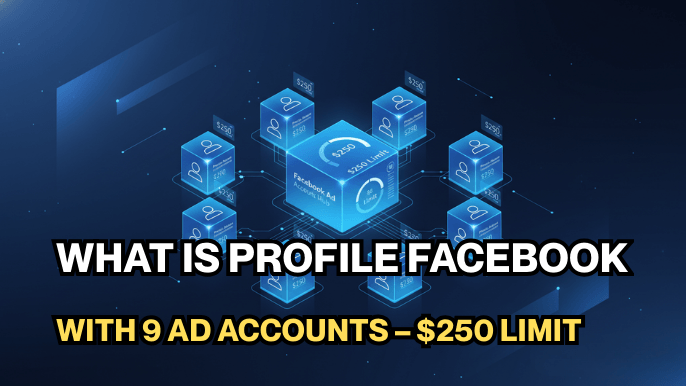
You receive 9 ad accounts under one profile-based setup. Each carries its own $250 daily spending threshold.
Profile-based means the accounts sit under your own profile structure rather than being shared from someone else’s Business Manager. You control them directly, and nothing about them depends on a third party staying available.
9 accounts at $250 is a genuinely different operation from 9 at $50. This is the tier where the package stops being a testing tool and starts being infrastructure.
Why Advertisers Choose the $250 Limit Package

The $250 ceiling matters when a test has already told you something.
At $50 a day, a campaign in a competitive niche can take a week to gather enough data to be worth reading. At $250 the same test resolves in a day or two.
What that buys you in practice:
- tests reach significance while the creative is still fresh,
- a winning campaign can absorb real budget without moving accounts,
- you can run several offers at meaningful spend at the same time,
- a restriction still costs one account rather than the whole operation.
The isolation is identical to the cheaper tier. The difference is that each account can now carry something worth isolating.
Who Should Buy the $250 Limit Package
This package suits advertisers who:
- have at least one offer that already converts,
- are held back by daily budget rather than by not knowing what works,
- run several offers or markets that need to stay apart,
- want spare accounts warmed and ready before they are needed.
Our Facebook ad account warm-up schedule sets out what a careful first few weeks look like on each account.
How the $250 Limit Package Compares to $50 and No Limit
This is the middle of the profile-based range. 9 ad accounts either way, so the $250 ceiling is what separates it from the testing tier below and the uncapped tier above.
| Package | Daily spending limit | Ad accounts | Best for |
|---|---|---|---|
| 9 accounts, $50 | $50 | 9 | Low-risk testing before committing budget |
| 9 accounts, $250 (this page) | $250 | 9 | Controlled testing with room to scale |
| 9 accounts, No Limit | No Limit | 9 | Scaling without a daily budget cap |
Two different structures are on offer across this category.
Profile-based packages, like this one, give you accounts under your own profile setup. You control them directly and nothing depends on another party.
Shared access places you inside a Business Manager that is already established, so you skip building account history from zero. The trade-off is that you operate inside someone else’s structure.
Within either structure the daily spending limit is the ceiling that decides how fast you can scale: $50, then $250, then No Limit.
Who This Product Is NOT For
Do not buy this package if you are still looking for an offer that works. 9 ad accounts at $250 will find you the answer faster, but it will also cost considerably more to get there.
The $50 package teaches the same lessons for less.
Do not buy it if you are already spending past $250 a day on a single campaign either. At that point the cap becomes the bottleneck again, and the No Limit package is the tier that removes it.
Pushing accounts harder than their history supports is one of the more common ways advertisers end up reading our guide to recovering a disabled Business Manager.
What You Receive, Delivery, and Warranty
AdsTrust delivers this package as a digital advertising asset, configured exactly as described below.
| What you get | Details |
|---|---|
| Ad accounts | 9, on a profile-based setup |
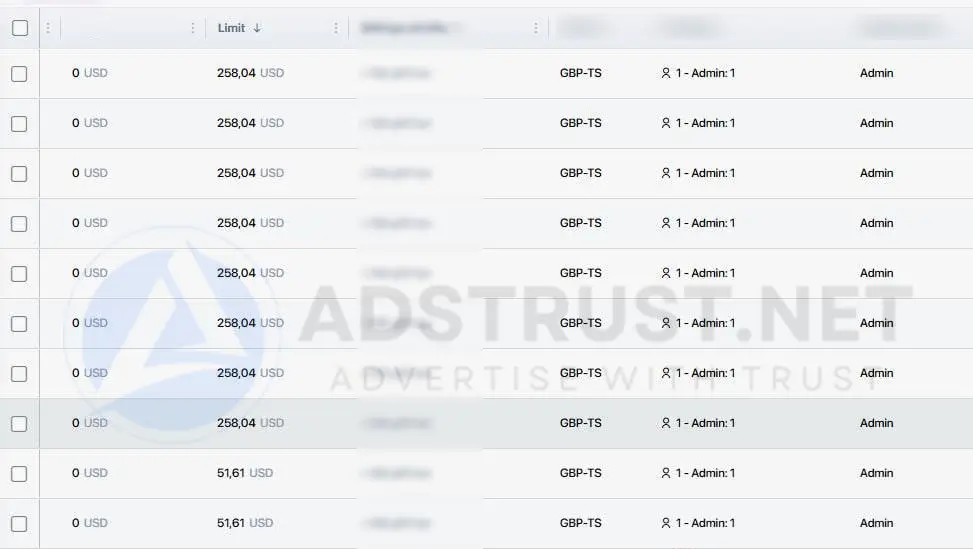
| Daily spending limit | $250 per ad account |
| Structure | Profile-based. The accounts are yours to control directly |
| Delivery time | Instant to 24 hours. Up to 48 hours if extra verification is required |
| Delivered via | Telegram or email, to the contact details you provide |
| Warranty | 24 hours after delivery, covering invalid login or a non-functional account |
| Not covered | Ad disapprovals, bans or holds caused by ad content, payment issues or policy violations |
| Refunds | Replacement within the warranty period. No refunds after delivery |
| Payment | USDT (TRC20 or ERC20), BTC or ETH. Full payment before delivery, no chargebacks |
| Support | Online 24/7, fastest via Telegram @adstrustnet |
Two things are worth being blunt about.
First, log in and check every account within 24 hours. That is the warranty window on ad accounts, so the inspection has to happen on day one.
Second, a $250 ceiling does not mean you should spend $250 on day one. A new account jumping straight to its cap is a pattern Meta reads as risk, and the warranty does not cover bans caused by how the account is used.
Full terms are on our warranty policy page.
Frequently Asked Questions
How many ad accounts are included?
9 ad accounnts, on one profile-based setup, each with its own $250 daily threshold.
Check all 9 on the day they arrive, because the warranty on ad accounts runs for 24 hours from delivery.
Can I spend $250 per account from day one?
The ceiling allows it. Doing it is usually a mistake on a fresh account.
Start lower and build up over the first weeks. A gradual curve reads very differently to Meta than an immediate jump to the cap.
Should I buy this or the $50 package?
If you are still testing whether an offer works, the $50 package covers it for less.
If a test has already worked and the daily cap is what stops you scaling, this tier removes that specific problem.
Should I buy this or No Limit?
Choose No Limit when a single campaign genuinely needs to spend past $250 in a day.
If you are spreading budget across several accounts rather than concentrating it, $250 each is usually more headroom than it sounds.
What is the difference between profile-based and shared?
Profile-based means the accounts sit under your own structure and you control them directly.
Shared means you are given access inside an established Business Manager. You skip building history, but you operate inside someone else’s structure.
If one account is restricted, do I lose the rest?
Normally no. A restriction usually applies to the specific ad account.
Repeated violations across several accounts can still put the wider setup at risk, so separation reduces exposure without removing it.
Do I need a Page and Pixel as well?
You need a Page to run most ad formats and a Pixel to measure conversions.
Many advertisers keep both in a separate low-limit Business Manager so the assets survive if a spending account is restricted.
This package fits one situation well: you have something that converts, and the daily cap is what is holding it back.
If you are still finding the offer, spend less while you look for it.
The price and order button are at the top of this page. If you are unsure which ceiling fits, message the team on Telegram before ordering.
Written by Victor Kwang, Meta advertising specialist and blog lead at AdsTrust Global Pte. Ltd. (Singapore). The AdsTrust team has worked in Meta advertising since 2017. Spending limits, review timings and account behavior described on this page reflect what we see in practice. Meta can change them at any time.





Reviews
There are no reviews yet.