
TL;DR: A Facebook ad account warm-up schedule typically spans 7 to 30 days: week one builds organic profile activity, week two adds a Fan Page and Business Manager, then soft engagement campaigns run before conversion ads start. Budgets should rise 10-20% daily, never double overnight, since Meta’s systems reward gradual, human-looking behavior over sudden spend.
What Is a Facebook Ad Account Warm-Up Schedule?
A Facebook ad account warm-up schedule is a structured plan for building trust with Meta’s automated review systems before running full ad campaigns.
It typically involves organic activity first, then light engagement campaigns, then a gradual budget ramp into conversion campaigns.
The goal is to avoid the sudden spikes in activity, spend, or automation signals that commonly trigger reviews or holds.
New accounts often start with a temporary daily spending cap, and warm-up behavior can influence how quickly that cap is reviewed.
For a broader look at how these caps work at the Business Manager level, see this guide to Facebook Business Manager spending limits.
Why Warm-Up Matters: Trust Score, Limits, and Ban Prevention
Warm-up matters because Meta’s ad review system weighs account history and behavior patterns, not just ad content, when deciding trust and spending limits.
A brand-new profile that immediately creates a page, links a card, and launches a $500 campaign looks statistically different from a normal advertiser, and that gap is what gets flagged.
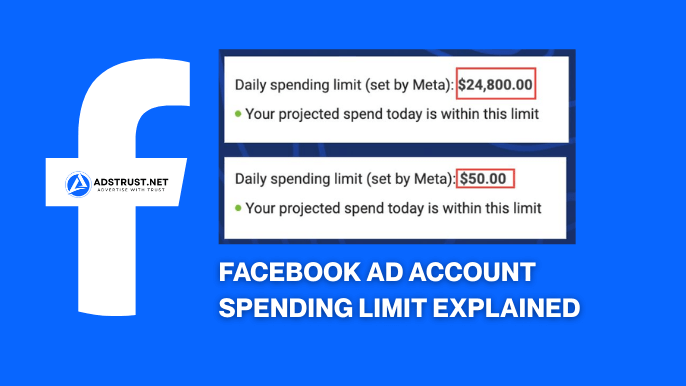
Many new ad accounts start with a modest daily limit, commonly cited around the $50 range, before that cap is reviewed and potentially lifted toward $100 or higher.
Per Meta’s advertising standards, accounts and ads are reviewed against policy compliance continuously, not just at campaign launch.
This is why gradual, consistent behavior over the first two to four weeks tends to correlate with fewer holds down the line.
None of this guarantees an account will never face review, since Meta’s systems and policies evolve, but a slower start reduces avoidable red flags.
The Day-by-Day Warm-Up Calendar (Days 1-30)
A practical warm-up calendar breaks into three phases: organic identity building in week one, infrastructure setup in week two, and campaign priming from week three onward.
Below is a tactical breakdown many media buyers use as a baseline, adjustable depending on account age and history.
Week 1 (Days 1-7): Profile Setup and Organic Activity
Week one is about looking like a real person, not an advertiser, so no posting or page creation happens yet.
- Day 1-2: complete the profile fully (photo, bio, work history, location matching the IP used)
- Day 2-4: like 5-10 pages relevant to general interests, join 1-2 groups
- Day 4-6: leave a few genuine comments on public posts, accept or send a handful of friend requests
- Day 6-7: log in daily at normal hours, avoid 24/7 activity patterns
The account should read as an ordinary user browsing Facebook, not a tool being operated.
Week 2 (Days 8-14): Fan Page, Business Manager, and Card Linking
Week two introduces the business infrastructure, but spaced out rather than done all at once.
- Day 8-9: create the Fan Page with a complete description, category, and profile image
- Day 9-10: post one or two organic pieces of content on the new page
- Day 10-12: set up the Business Manager and connect the Fan Page
- Day 12-14: add the payment method, waiting a day or two after Business Manager creation rather than doing it same-day
Spacing these steps across several days, rather than completing them in one sitting, is a common practice among agencies managing multiple accounts; see how agencies build Business Manager systems for a system-level view.
Week 3 (Days 15-21): Soft Campaigns to Prime the Algorithm
Week three is when the first ad dollars get spent, but on engagement, not conversions.
- Run a Page Likes or Reach campaign at a small daily budget for 2 days
- Follow with a Video Views campaign at a similarly small budget for another 2 days
- Keep each campaign short, 2 days per test, rather than one long continuous flight
- Review delivery and any account feedback before moving to the next test
These low-cost, top-of-funnel objectives generate impression and click data without triggering the scrutiny that a direct conversion campaign might.
Week 4 (Days 22-30): Pixel Data Collection and First Conversion Tests
By week four, the Facebook Pixel should already be installed and collecting visitor data, even before any conversion campaign spends heavily.
- Day 22-24: confirm Pixel firing correctly across key page events
- Day 24-27: run a small traffic or engagement campaign to seed Pixel data (cookieing visitors)
- Day 27-30: launch a modest conversion campaign, budget still conservative
- Ongoing: begin building a Custom Audience for future lookalike audiences
Letting the Pixel gather real visitor behavior before asking it to optimize for conversions gives Meta’s delivery system more signal to work with.
Should the Pixel Be Installed Before or During Warm Up?
The Facebook Pixel should be installed early, ideally during week two or three, so it starts collecting visitor data well before conversion campaigns launch.
Pixel warm-up and account warm-up are related but different processes: the account needs organic trust signals, while the Pixel needs volume and variety of visitor events.
Running small traffic or engagement campaigns during week three serves a dual purpose, since it both primes account trust and feeds the Pixel real cookie data.
Launching a conversion campaign on a Pixel with zero historical data tends to underperform, simply because the algorithm has nothing to optimize against yet.
How Fast Should You Scale Budgets After Warm-Up?
Budgets should scale gradually after warm-up, typically 10-20% increases daily, or 20-30% every 2-3 days, never a same-day doubling.
Sudden jumps in spend are one of the most common triggers for manual review or temporary holds on newer accounts.
| Scaling Pace | Typical Increase | Risk Level |
| Conservative | 10% per day | Lowest risk, slower growth |
| Moderate | 20-30% every 2-3 days | Balanced, common agency approach |
| Aggressive | 50%+ overnight or account duplication | Higher risk of holds or limits |
Watching cost-per-click and cost-per-conversion trends during each scaling step helps confirm the algorithm is still finding efficient delivery, rather than just spending faster.
For a deeper look at what happens when accounts scale too fast without this discipline, read why some Facebook ad accounts stay limited for too long.
What Kills a New Ad Account Fastest?
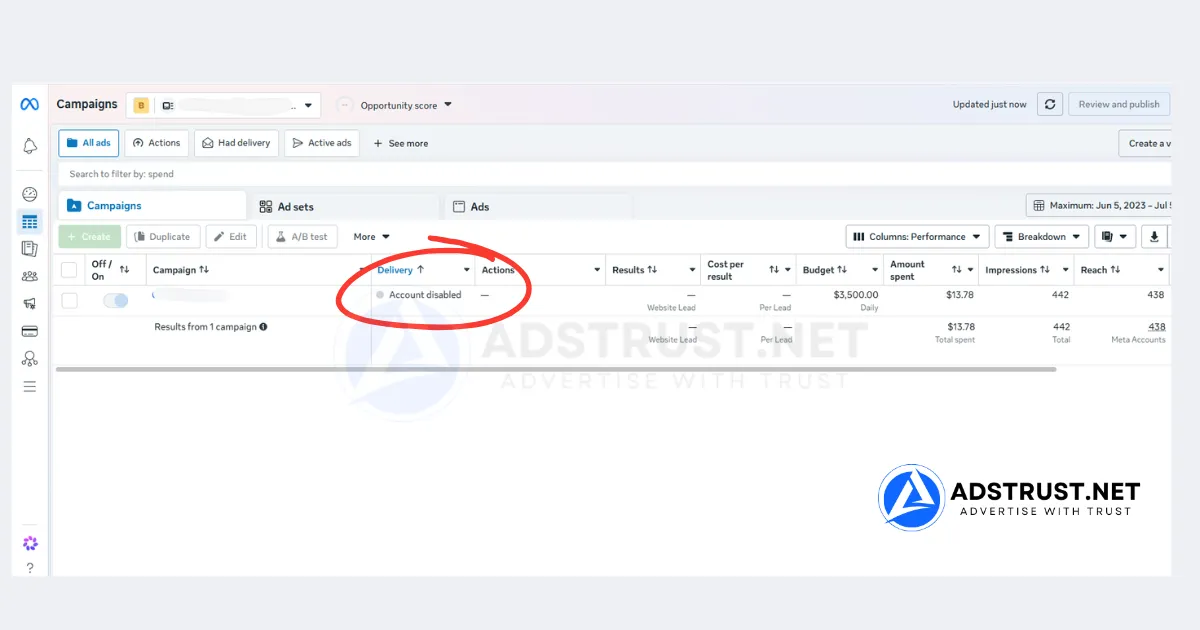
The fastest way to kill a new ad account is combining several red flags at once: 24/7 login activity, an immediate large spend, and automation-like behavior patterns.
Individually these might not trigger anything, but stacked together in the first days of an account’s life, they resemble the patterns Meta’s systems are built to catch.
- Logging in at unnatural hours or with inconsistent, non-matching IP locations
- Jumping straight to a $200-500+ daily budget with no history
- Using the same device or browser fingerprint across many accounts without proper separation
- Posting or messaging at bot-like speed and volume
- Linking payment cards immediately after Business Manager creation
This is also why matching IP, device, and card BIN country consistently matters more than people expect, since mismatches are an easy automated flag.
Teams running several accounts often rely on dedicated ISP proxies or anti-detect browser profiles per account to keep this consistency intact, treating each account as its own isolated identity rather than a clone.
White-Hat Warm-Up vs Gray-Hat Account Farming
White-hat warm-up means one real person operating one account with genuine, if scheduled, activity, while gray-hat farming means running dozens of accounts through scripted, near-identical behavior at scale.
Agencies managing legitimate client budgets generally lean white-hat: manual logins, real content, and a single Business Manager structure that scales through verified upgrades rather than volume.
Operations trying to farm many accounts cheaply often lean gray-hat, and that approach carries meaningfully higher risk of coordinated holds across the whole batch.
If the goal is a durable, long-term ad account for a real business, the white-hat pace outlined above is worth the extra week or two it takes.
Buying Pre-Warmed Accounts: Does It Skip the Schedule?
Pre-aged or pre-warmed accounts can shorten the manual warm-up process, but they don’t remove the need for careful, gradual usage once in your hands.
AdsTrust’s Facebook ad accounts are sourced and tested before delivery, giving buyers a head start with an account that already carries some history rather than a blank profile.
Under AdsTrust’s warranty, ad accounts are covered for 24 hours after delivery against invalid login or non-functional access, so buyers should log in and inspect within that window.
Even with a pre-aged account, the same scaling discipline applies afterward, since Meta’s review system continues to evaluate behavior after delivery, not just at the point of purchase.
Longevity always depends on how the account is used going forward and on Meta’s own evolving policies, not on the asset alone.
Post-Warm-Up Maintenance: Staying Off the Radar
Maintenance after warm-up means keeping activity patterns consistent rather than assuming the account is now permanently safe.
- Keep login times and locations consistent with the account’s established pattern
- Avoid long gaps of inactivity followed by sudden heavy spend
- Refresh ad creative and audiences periodically instead of running one static ad indefinitely
- Monitor payment behavior, since failed charges or frequent card changes can raise flags
Building on a stable Business Manager structure also helps here; see how Business Manager controls ad accounts for how the parent structure affects individual account stability.
Understanding how Facebook reviews payment behavior in ad accounts is also useful ongoing context, since payment issues are a recurring cause of holds well after warm-up ends.
Skipping weeks of manual warm-up is tempting, but the faster, safer route for many teams is starting with an already-tested, verified account instead of a brand-new one. Explore AdsTrust’s Facebook ad accounts for options across different spending tiers, all inspected before delivery, never spammy volume plays.
FAQ: Facebook Ad Account Warm-Up
How long does it take to warm up a Facebook ad account?
Most warm-up schedules run 2 to 4 weeks, though some teams extend to 30 days for higher-budget accounts, with the pace depending on how quickly organic activity and soft campaigns build stable engagement.
Can I run ads immediately on a new Facebook ad account?
Technically yes, but running conversion ads immediately on a brand-new account with no history is one of the more common triggers for reviews or spending holds, so most experienced advertisers avoid it.
What is the best budget for warming up a Facebook ad account?
A small daily budget, often in the low single digits per day for 2-day test flights, is typically enough during the soft campaign phase, since the goal is engagement data, not scale.
How do I avoid getting my Facebook ad account banned during warm-up?
Avoid stacking risk signals: keep spend gradual, keep login patterns human and consistent, keep IP and device matched to the account’s stated location, and follow Meta’s advertising standards for content and targeting.
What should I post while warming up a Facebook account?
During the profile phase, avoid posting and instead focus on likes, comments, and group joins; once the Fan Page is created in week two, one or two genuine, relevant posts are enough before moving into paid engagement campaigns.
Does the Facebook pixel need to be installed before warm-up?
The Pixel should be installed early, ideally by week two or three, so it can collect visitor data through soft campaigns before any conversion campaign asks it to optimize.
Can I warm up an account faster if I buy pre-aged accounts?
Pre-aged or verified accounts often carry more starting trust than a blank profile, which can shorten the early manual steps, but gradual budget scaling and consistent usage still matter afterward.
What’s the difference between account warm-up and pixel warm-up?
Account warm-up builds trust for the ad account and profile itself through organic behavior, while Pixel warm-up is about accumulating enough visitor event data on your website for Meta’s delivery system to optimize conversion campaigns effectively.
Should I use proxies when warming up Facebook accounts?
Teams managing multiple accounts often use dedicated ISP proxies matched to each account’s stated country, since IP mismatches between login location and profile details are an easy automated flag.
How do I scale budgets safely after warm-up phase?
Increase budgets by roughly 10-20% per day, or 20-30% every 2-3 days, while watching cost-per-click and cost-per-conversion trends to confirm the algorithm is still delivering efficiently at the new spend level.
Written by Victor Kwang, Meta advertising specialist and blog lead at AdsTrust Global Pte. Ltd., drawing on the team’s Meta advertising experience since 2017. See more from Victor on the AdsTrust author page.