
TL;DR: To increase a Facebook spending limit, build clean payment history, complete Facebook Business Verification, and if no self-serve option appears, open a support case through Ads Manager’s Help icon with a specific requested amount. Most requests resolve in 24-48 hours, longer if verification is pending.
Sudden jumps in spend or unresolved policy issues are the most common reasons requests get denied.
What Is a Facebook Spending Limit, Exactly?
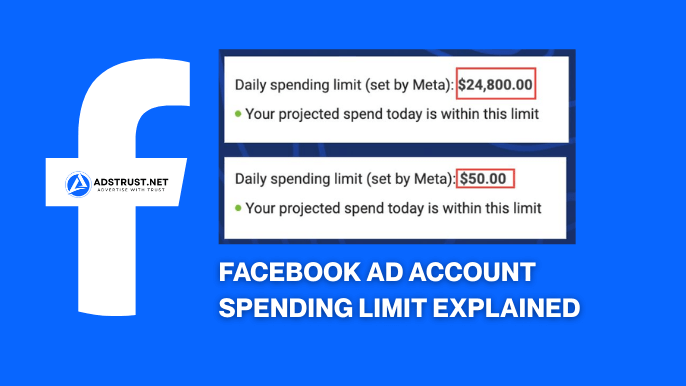
A Facebook spending limit is a cap Meta sets on how much an ad account can spend, either as a lifetime account limit or a rolling daily limit.
There are two distinct mechanics worth separating clearly.
- Account spending limit: a total lifetime cap you can often set or raise yourself inside Ads Manager billing settings.
- Dynamic Daily Spending Limit (DDSL): a system introduced in 2021 that adjusts what an account can spend per day based on account history, payment behavior, and risk signals.
The account spending limit is closer to a budget ceiling you control.
The DDSL is more like a trust score expressed in dollars, and it moves automatically as Meta reassesses the account.
Confusing the two is why many advertisers think they’ve been capped when they’ve actually just hit their own manually set ceiling.
For a deeper breakdown of how these limits interact with billing thresholds, see this guide on how the Facebook ad account spending limit works.
Why Does Facebook Cap New Accounts at $50 or $250?
Facebook typically starts brand-new ad accounts with a low spending threshold, often cited around $50, to limit exposure to fraud before an account has any track record.
This is a risk-management mechanism, not a punishment.
New accounts have no payment history, no verified identity signals, and no data showing how ads will be received, so Meta throttles exposure until trust builds.
As the account pays on time and avoids ad rejection or policy strikes, the ceiling tends to rise in steps rather than jumping straight to an unlimited state.
Under Meta’s own framework described in its advertising standards, accounts that repeatedly violate policy or show suspicious billing patterns get more scrutiny, which directly slows or blocks limit increases.
This is one reason agencies often prefer accounts with some history behind them, such as the options in our Facebook Ad Accounts (9 Accounts, No Limit) lineup, rather than starting fresh every time.
How Do I Increase My Facebook Daily Spending Limit?
You increase a Facebook daily spending limit primarily by maintaining a clean payment and policy history over time, which lets Meta’s automated system raise the DDSL on its own.
In cases where no self-serve increase option is showing, the practical path is a direct support request.
The Support Request Process
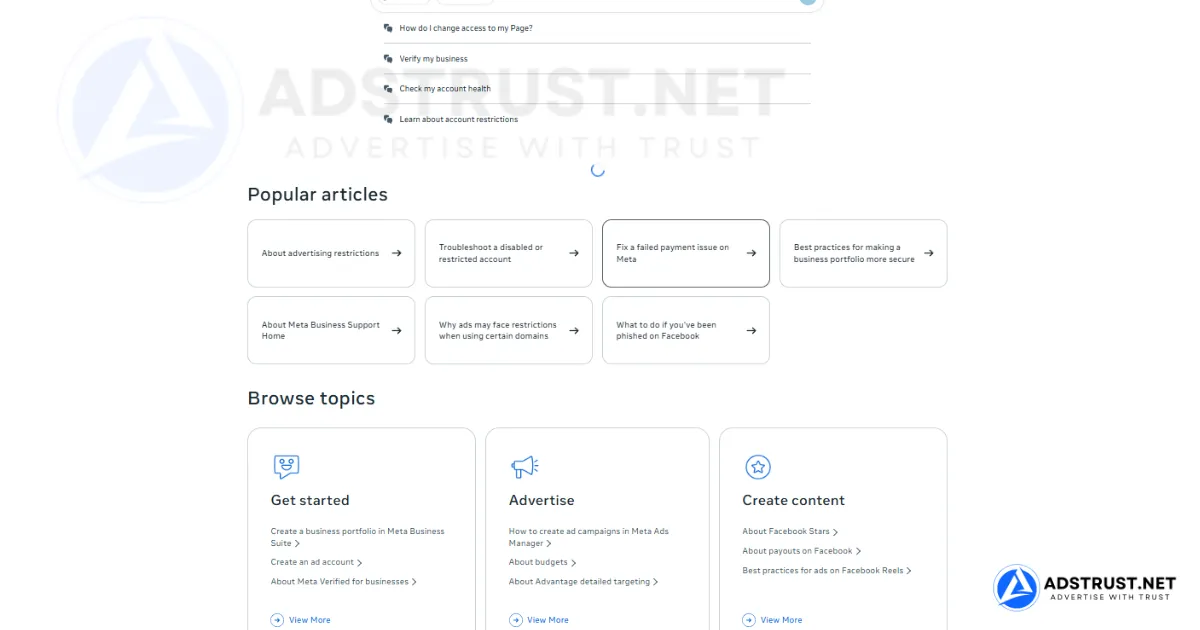
- Open Ads Manager and locate the Help icon, usually in the top navigation bar.
- Select the option to create a new support case or contact support.
- Choose the specific ad account or Business Manager the request relates to.
- State the exact spending limit you are requesting rather than a vague increase.
- Include context: what you’re advertising, your typical monthly spend, and your payment method status.
Meta hides or reshuffles this flow periodically, so the exact click path can shift, but the underlying idea stays the same: reach Ads Manager’s help/support entry point and file a case tied to the specific account.
Vague requests like “please increase my limit” tend to get slower or less specific responses than requests that state a number and a reason.
How Should You Phrase a Spending Limit Request?
An effective spending limit request states a specific number, ties it to real campaign need, and avoids language that sounds urgent to the point of reckless.
Instead of writing
“I need my limit raised immediately, my campaign is losing money,” a steadier framing works better: “We are scaling a compliant campaign and would like our daily limit reviewed for an increase from the current level to support consistent delivery.”
Support teams and automated systems both respond better to requests that read as planned business growth rather than panic.
Mentioning consistent past payment history and the absence of recent policy flags in the request can also help, since that’s exactly what the review is checking for.
Why Does Facebook Restrict Spending Limit Increases?
Facebook restricts spending limit increases mainly to prevent fraud, protect its payment systems, and enforce policy compliance before letting an account handle larger daily budgets.
A sudden large increase in ad spend is one of the classic fraud signals financial and ad platforms watch for, so Meta paces growth deliberately.
- Unresolved ad rejections or policy violations on the account.
- Payment failures or a history of declined charges.
- Spend jumping too aggressively in a short window, for example moving from a small daily budget straight to a very large one overnight.
- Recently changed payment methods or account ownership signals.
Any of these can pause or slow a review, sometimes well past the typical resolution window.
This is closely related to how Facebook reviews payment behavior in ad accounts, since billing reliability feeds directly into limit decisions.
Does Business Verification Actually Raise Your Limit?

Facebook Business Verification can unlock meaningfully higher spending thresholds because it confirms the entity behind the ad account is a real, registered business rather than an unverified individual profile.
Unverified accounts are commonly capped in the lower range, sometimes cited around $50 per day for brand-new setups, while verified businesses can be eligible for thresholds reported up toward $1,000 per day or higher, depending on account history and risk signals.
Verification alone is not an automatic guarantee of a specific number.
It removes one of the biggest trust gaps Meta’s system checks for, which makes a subsequent increase request far more likely to succeed.
Agencies managing multiple clients often prioritize verification early precisely because it affects every account tied to that Business Manager, not just one.
For a full picture of how limits are structured at the BM level, this guide on Facebook Business Manager spending limits is worth reading alongside this article.
Should You Settle Outstanding Balances Before Requesting an Increase?
Yes, settling any outstanding balance before requesting a spending limit increase is one of the simplest ways to remove an obvious rejection reason.
Meta’s review process checks whether an account is current on payments, and an unpaid balance signals financial risk exactly when you’re asking the system to trust you with more of it.
Practical steps before submitting a request:
- Check the billing section for any pending or failed charges.
- Confirm the primary payment method is valid and not expired.
- Pay down any balance in full rather than partially.
- Wait at least one full billing cycle if a payment was recently declined and then retried.
Clearing this before the request shortens review time in most cases, since the reviewer isn’t stuck waiting on a separate billing fix.
How Long Does a Spending Limit Increase Take?
A Facebook spending limit increase typically resolves within 24 to 48 hours once a support case is filed, though it can take longer if Business Verification is still pending or if the account has recent policy flags.
Automatic DDSL increases, the kind that happen without any request at all, tend to move on a slower, less predictable timeline tied to consistent spend and payment history rather than a fixed number of days.
| Scenario | Typical Timeline |
| Standard support case, clean history | 24 to 48 hours |
| Business Verification pending | Several days to a few weeks |
| Recent policy violation on record | Delayed until compliance review clears |
| Automatic DDSL increase | Gradual, tied to spend/payment consistency, no fixed schedule |
These are typical patterns reported by advertisers and consistent with how Meta describes review-based systems in its Business Help Center, not a guaranteed service-level timeframe.
What Happens If Your Request Gets Rejected?
If a spending limit increase request is rejected, the account usually keeps its current limit, and the advertiser can typically resubmit after addressing the underlying issue rather than repeating the same request immediately.
Common next steps after a rejection:
- Review the account for any unresolved ad rejections or policy warnings.
- Confirm payment history is fully current with no failed charges.
- Wait a reasonable period, often cited around 30 days of clean policy compliance, before trying again.
- Complete or verify Business Verification status if it hasn’t been done.
- Avoid repeatedly resubmitting the same request in a short window, since that can read as pressure rather than a legitimate business need.
Repeated rejections often point to a deeper account trust issue rather than a one-off billing hiccup, which is worth investigating through account history rather than just resubmitting the same case.
Should You Scale Spend Gradually to Avoid New Restrictions?
Yes, scaling ad spend gradually, for example moving from a smaller daily budget to double or triple that amount in stages rather than jumping straight to a large figure, reduces the chance of triggering a fraud review or a fresh restriction.
A pattern like increasing from a modest starting budget to a moderate one, then to a larger one over a period of days or weeks, tends to look like organic business growth to automated risk systems.
A single overnight jump from a small daily budget to a very large one is one of the clearest signals that triggers manual review or a temporary freeze.
This pacing discipline matters just as much for ad account restrictions generally, since spend velocity is one of several signals reviewed together with policy history.
Prepaid vs Postpaid: Does Billing Type Change the Mechanics?
Prepaid ad accounts, where funds are added to a balance before ads run, and postpaid accounts, which get charged after spend or on a threshold basis, handle spending limits differently in one key way.
Prepaid accounts are naturally capped by whatever balance has been deposited, so the practical limit is often the funded amount itself.
Postpaid accounts rely more heavily on the DDSL and account spending limit settings since there’s no prepaid balance acting as a ceiling.
Advertisers on postpaid billing tend to see more of the automated DDSL behavior in action, while prepaid advertisers should focus on topping up balances proactively rather than requesting limit changes.
For agencies weighing account structure decisions around this, Facebook Ad Account vs Business Manager breaks down where these billing settings actually live.
Chasing a slow support case for weeks isn’t the only path forward.
If your priority is getting a campaign live fast, a cleaner option is starting with an ad account that already has stronger trust signals built in, such as the Facebook Ad Accounts (9 Accounts, No Limit) lineup from AdsTrust, verified and delivery-ready rather than starting from a $50 cap.
No spam, no guesswork, just a stable starting point while you build your own long-term account history.
FAQ: Facebook Spending Limit Increases
How do I increase my Facebook daily spending limit?
Keep payment history clean, complete Facebook Business Verification if you haven’t, and if no self-serve option appears, open a support case in Ads Manager stating the specific limit you want.
Why is my Facebook ad account spending limit capped at $50 or $250?
These are common starting thresholds Meta uses for newer or unverified accounts to limit fraud exposure until the account builds a track record of compliant, paid ad activity.
Can I increase my Facebook spending limit without contacting support?
Sometimes, yes, through automatic DDSL increases tied to consistent spend and on-time payments, though many advertisers still need a support case when no self-serve option is visible.
How long does it take Facebook to increase your spending limit?
Support-based requests typically resolve within 24 to 48 hours in our team’s experience, though pending Business Verification or recent policy issues can extend that considerably.
What happens if I request a spending limit increase and get rejected?
The current limit stays in place, and it’s generally better to fix the underlying issue, such as an unresolved ad rejection or payment problem, before resubmitting rather than repeating the request immediately.
Do I need Facebook Business Verification to increase my spending limit?
It’s not always mandatory, but verification is one of the strongest signals for unlocking higher thresholds, since it confirms the business identity behind the account.
How much can I increase my spending limit at once?
There’s no fixed universal number, and requesting a modest, justified increase tied to real campaign needs tends to succeed more reliably than requesting a dramatic jump.
What if my ad account is new, what’s the initial spending limit?
New accounts are commonly started at a low threshold, often cited around $50, which can rise over time as payment history and policy compliance build up.
Written by Victor Kwang, Meta advertising specialist and blog lead at AdsTrust Global Pte. Ltd., drawing on the team’s Meta advertising experience since 2017. See more at the author page.