
TL;DR: Renting a Facebook Business Manager means paying an agency a management fee (often a percentage of ad spend) for managed, whitelisted access; buying means a one-time purchase and full ownership, plus full responsibility.
Renting typically suits agencies needing fast scaling and support; buying suits advertisers who need long-term, self-managed infrastructure and understand that responsibility shifts entirely to them once the account is confirmed working.
What Does Renting vs Buying a Facebook Business Manager Actually Mean?
Renting a Facebook Business Manager is temporary, managed access to an agency’s verified BM, usually billed as a percentage of ad spend or a flat management fee.
Buying a Business Manager is a one-time transaction where ownership, admin rights, and all future responsibility transfer to you.
Building your own BM means starting from a fresh Meta account and growing trust organically over weeks or months with no shortcuts.
Each path solves a different problem: renting solves speed and oversight, buying solves long-term control, building solves budget at the cost of time.
For a full breakdown of how BM structure, limits, and account hierarchy actually work, see this complete Business Manager guide.
How Do the Costs Compare?
Rental costs are typically usage-based, often set as a percentage of monthly ad spend, so the cost scales with your budget.
Buying is a fixed upfront cost, with entry-level and higher-capacity BM tiers priced differently; check the Business Manager catalog for current pricing, since figures change over time.
Building is technically free but the real cost is time: weeks of warm-up, missed testing windows, and the opportunity cost of delayed campaigns.
None of these models eliminate the warm-up period. Even a purchased or newly built BM typically needs a stabilization window before it can handle aggressive spend, something budget spreadsheets often ignore.
| Model | Typical Cost Structure | Best For | Trade-off to Plan For |
| Rent (agency BM) | % of ad spend or flat fee | Agencies, high-spend testing | Ongoing fee scales with growth |
| Buy (owned BM) | One-time purchase | Long-term single-brand operators | Full responsibility lands on buyer after inspection |
| Build (organic) | Free, but slow | Bootstrapped teams with time | 7-14 day warm-up minimum |
If you’re weighing tiers for an owned purchase, BM tier comparisons can help match ad account count to your actual spend plans.
What Responsibility Do You Take On When You Buy a Facebook Business Manager?

When you buy a Business Manager, you are taking on an account whose earlier usage isn’t something you can fully audit yourself, since you were not the one running it.
That is a general reality of any change of ownership, not a claim specific to one seller: whoever holds the account going forward inherits whatever standing it has with Meta at that moment.
Under AdsTrust’s warranty policy, a Facebook Business Manager purchase is covered at the time of delivery and inspection: you’re expected to log in and confirm the account is active and accessible within that window.
Once you’ve confirmed it’s working, that warranty period ends and the account becomes your full responsibility going forward; AdsTrust does not cover bans or restrictions caused by policy violations or misuse after that point.
In practice this means the inspection window is the moment to actually verify access and account health, not just click through it, since there is no seller-side support desk monitoring the account after the sale is confirmed.
A rental model shifts that ongoing oversight burden onto the agency instead, which is the core operational difference between the two models.
Why Do Rental Facebook Accounts Offer Managed Stability?
Rental accounts typically sit inside an agency’s established Facebook Business Manager infrastructure, which often carries a longer track record with Meta than a newly transferred account.
Because the agency itself is the one interacting with Meta’s systems day to day, it usually has escalation paths and support relationships that individual advertisers do not.
This does not mean rental accounts are immune to restriction. Meta’s advertising standards apply equally regardless of who owns the infrastructure.
What can change is response time: an agency managing many accounts may be able to escalate or re-route a flagged account faster than a solo advertiser waiting on a standard support queue, though this varies by agency.
What Is the ‘Managed vs Unmanaged’ Trade-off?
Managed vs unmanaged describes who is actively watching the account for compliance issues after you start spending.
With a rental, the agency is typically monitoring policy compliance, payment behavior, and account health as part of the service.
With a purchase, monitoring is entirely on you; there is no backend team tracking your campaigns for early warning signs.
That gap matters most for teams without an internal compliance or ad-ops function, since a purchased BM offers no safety net if something drifts off policy.
How Does Scaling Speed Compare?
Scaling speed differs because rental accounts often start with an established spend history, while a freshly purchased or built BM generally needs a gradual ramp before Meta trusts higher daily budgets.
Aggressive jumps in daily spend, particularly large jumps in a short period, are commonly flagged for review regardless of account type.
A warm-up schedule that increases budget incrementally over 7-14 days is generally a more reliable path than a single large jump, whichever model you’re using.
In our team’s experience, agencies running rental infrastructure often stress-test with multiple simultaneous campaigns before committing full budget, since a rented account with proven volume history tends to absorb concurrent tests better than a brand-new owned account still building trust signals.
This is where the choice of model starts to matter operationally, not just financially: the account’s starting trust level shapes how fast you can responsibly scale.
Which Model Should You Choose?
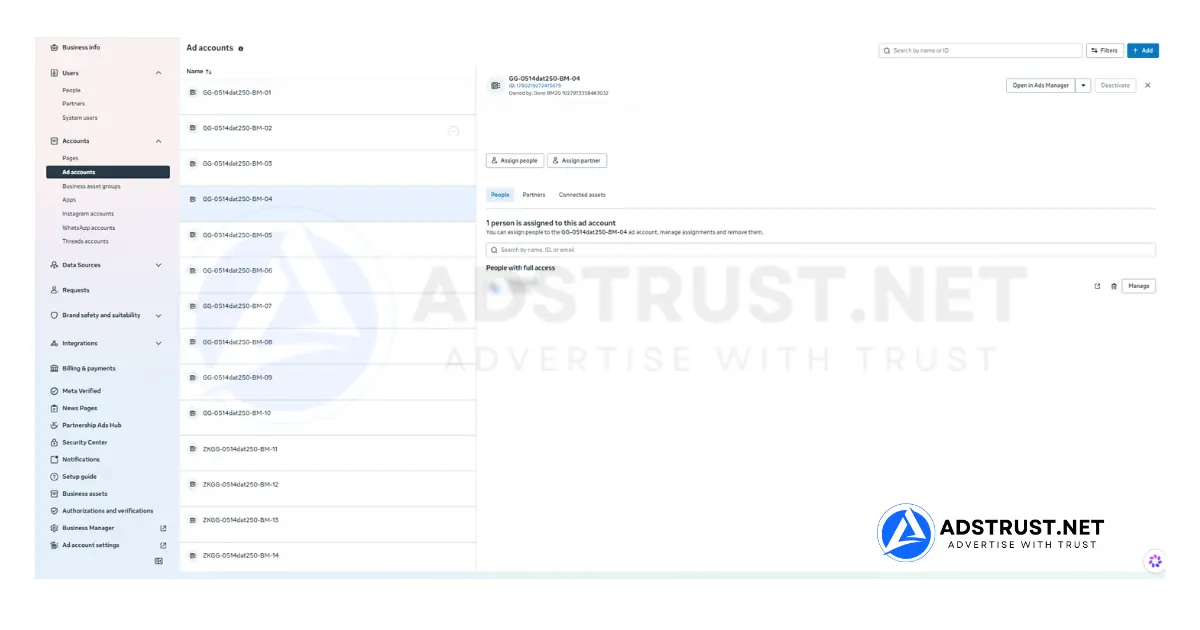
If you need fast scaling, ongoing oversight, and don’t want to build internal compliance monitoring, renting from an established agency is typically the more practical route.
Learn more : Facebook Ad Accounts Share BM2500 (No Limit, Enterprise)
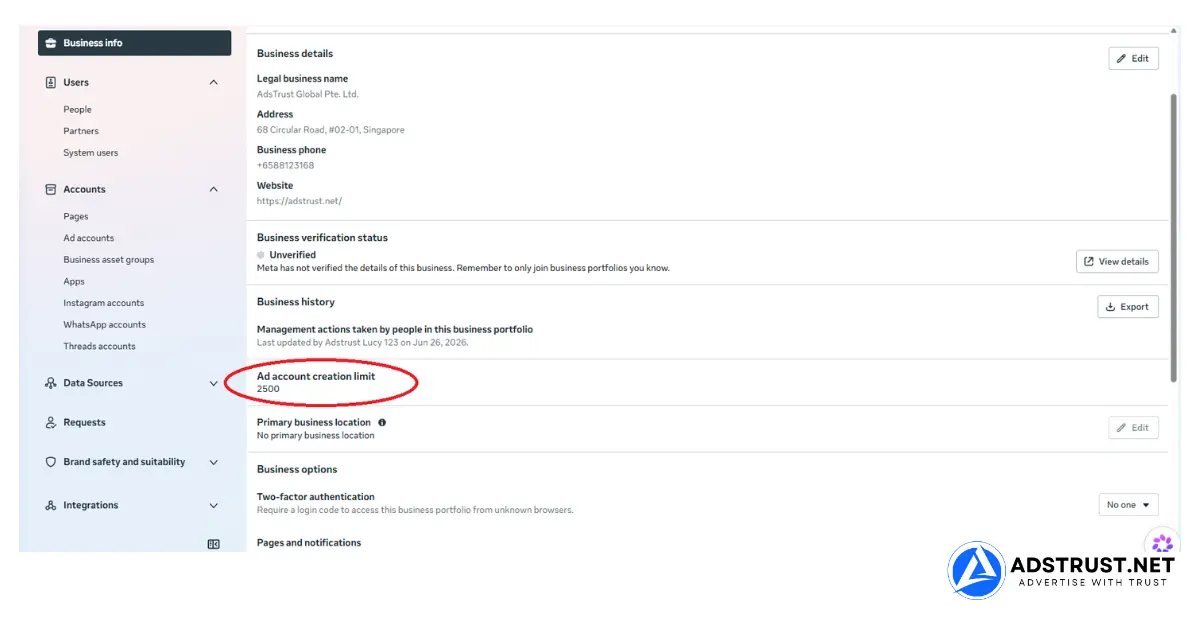
If you need long-term, self-managed infrastructure and are prepared to take on full responsibility after the inspection window, buying a verified Business Manager makes sense, provided you understand the warranty terms going in.
Either way, verified or aged assets start with better standing than a brand-new Facebook ad accounts, but long-term stability still depends on how the account is used and on Meta’s own policies, which no seller can control.
AdsTrust sources, tests, and delivers Business Managers to a documented standard, and full warranty terms are published for anyone comparing options before they buy.
FAQ
Is renting a Facebook Business Manager cheaper than buying?
It depends on your spend level and time horizon. Renting scales with ad spend through an ongoing fee, while buying is a one-time cost; for current pricing on owned Business Managers, see the Business Manager category.
Does buying a Facebook Business Manager mean it can never be restricted?
No. No seller can promise an account is unbannable or ban-proof. Verified, tested assets start with better standing, but long-term stability depends on compliant usage and Meta’s own policies.
What warranty applies to a purchased Facebook Business Manager?
Under AdsTrust’s warranty policy, a Business Manager purchase is covered at the time of delivery and inspection; once confirmed active and accessible, the warranty ends and the account becomes the buyer’s responsibility.
How fast can I scale spend on a rented vs bought account?
Rental accounts often start with an established spend history, which can support faster scaling, while purchased or newly built accounts generally need a gradual warm-up before handling higher daily budgets.
Compare verified Business Manager options and warranty terms before you decide.
Written by Victor Kwang, Meta advertising specialist and blog lead at AdsTrust Global Pte. Ltd., drawing on the AdsTrust team’s experience in Meta advertising since 2017. See more from the author on the author page.