
TL;DR: Meta is running automated sweeps that disable ad accounts inside otherwise healthy Business Managers, citing “Account Integrity” and automation that the advertiser never used.
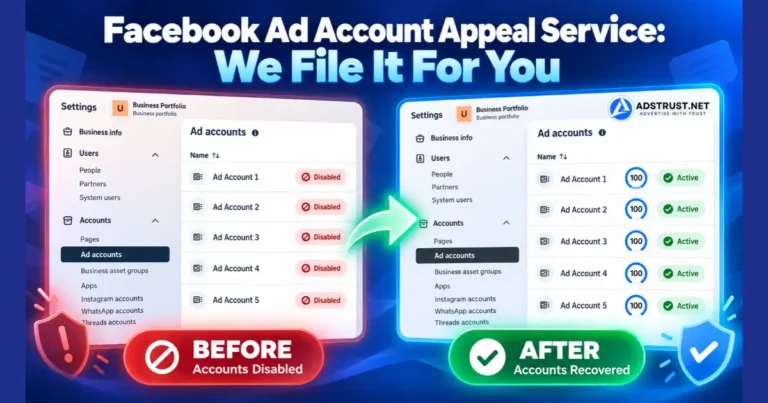
AdsTrust files these appeals for you. You share partner admin access to the affected ad accounts with our Business Manager ID, and we handle the rest. The only hard requirement is that the account still shows a Request review button.
What This Wave of Restrictions Looks Like
The pattern is consistent enough that most advertisers recognize it immediately.
You open Ads Manager and the ad account is gone. The Business Manager is still alive, other assets still work, but the ad account itself carries a banner reading We restricted your ad account.
Under “Why this happened”, Meta gives this reason:
It looks like this account was created or used with an automation that doesn’t follow our rules. This goes against our Advertising Standards on Account Integrity.
Examples of things we don’t allow: automations where a large amount of activity is quickly created by a machine, automations that mimic human activity, automations which take away from authentic, human activity.
The wording rarely matches what the advertiser actually did.
We see it on accounts that have never run a campaign, never had an automation tool connected, and never been touched by anything other than a browser and a human.
This is an automated classification, not a human judgement about your business. Understanding that changes how you should respond to it.
Why the Business Manager Survives but the Ad Accounts Do Not
In most of these cases the Business Manager stays fully functional. Pages work, pixels keep firing, team access is intact.
What gets hit is the ad account layer, and often several ad accounts inside the same Business Manager at once.
That is a useful signal. It means the enforcement landed on the accounts rather than on the business identity behind them, which is a much better position to appeal from.
If the whole Business Manager has been restricted instead, that is a different problem with a different process. We cover it in our Business Manager appeal service.
About That “Request Review” Button
Meta puts a blue Request review button on the restriction screen, usually with a countdown showing how many days you have left to use it.
It looks like the obvious next step, and for many restriction types it is.
For this specific automation sweep, our advice is to slow down before pressing it.
In the cases we handle, a self-submitted review on these accounts very often comes back as a final decision rather than a reinstatement. The account moves from restricted to permanently closed, and the button disappears.
We want to be precise about what we are claiming. We cannot see inside Meta’s review process and we are not telling you the outcome is certain either way.
What we can state plainly is the part that matters commercially: once that review has been used and the decision comes back final, there is nothing left for us or anyone else to appeal. The option is spent.
That is the whole reason to decide before you click rather than after.
How Our Appeal Process Works
There is no software to install and nothing to hand over from your personal profile.
- Message us on Telegram at @adstrustnet with the status of the accounts and how many need appealing.
- We confirm eligibility and quote. Pricing depends on the state of the accounts and the volume.
- You share partner access. In Business Settings, add our Business Manager ID as a partner with admin permission on the affected ad accounts. We will send you the ID.
- We file the appeals and report back, normally within 24 hours.
- You remove our partner access once the case is closed.
Partner access is scoped to the ad accounts you name. It does not give us your login, your password, or control of your Business Manager, and you can revoke it yourself at any point.
What We Can and Cannot Take On
One requirement decides everything: the ad account must still display the Request review button.
If the button is gone, the review window has closed or already been used. At that point the case is finished and we will tell you so rather than take your money.
Beyond that, outcomes differ by account history:
| Account state | Our success rate |
|---|---|
| Never spent, disabled by the automated sweep | Around 99% |
| Has spend history, disabled by the automated sweep | Around 70% |
| Request review button no longer showing | Not eligible |
Those figures come from our own casework on this specific restriction type. They are not published by Meta and they are not a promise about your particular account.
They are also specific to the automation sweep described on this page. An account restricted for ad content, payment problems, or a policy violation you actually committed is a different case, and the honest answer there is usually that the standard process in our appeal guide is what you need.
Bulk Appeals
These sweeps rarely take a single account. Agencies regularly come to us with ten, thirty, or a hundred disabled ad accounts across several Business Managers.
We handle volume. Tell us the number of accounts and their state, and you get one quote covering the batch rather than a price per case invented on the spot.
Turnaround for a batch is normally the same 24 hours, because the accounts are filed in parallel rather than one after another.
What to Do Before You Contact Us
- Do not press Request review on the accounts you want us to handle.
- Screenshot the restriction screen, including the date and the reason Meta gives.
- Count the accounts and note which ones have spend history and which never ran.
- Check the button is still there on each one. That is the eligibility test.
- Leave the Business Manager alone. Adding assets or changing permissions while a review is pending does not help.
If you are rebuilding at the same time, a settled Business Manager absorbs new activity better than a fresh one. Our Business Manager range covers that, and the warm-up schedule covers what to do with a reinstated account once it comes back.
FAQ: Facebook Ad Account Appeal Service
What does “We restricted your ad account” actually mean?
Meta has disabled the ad account’s ability to create or run ads and to use or share audiences. In this wave the stated reason is automation under Advertising Standards on Account Integrity.
The Business Manager itself usually keeps working, which is why the ad accounts can be appealed separately.
Should I click Request review myself?
For this specific automation restriction, we advise against it. In our casework a self-submitted review frequently returns a final decision rather than a reinstatement.
Once that happens the button disappears and no further appeal is possible, by us or anyone else.
What access do you need from me?
Partner admin access to the affected ad accounts, granted to our Business Manager ID from your Business Settings.
No password, no login, no access to your personal profile. You can revoke it yourself once the case closes.
Can you appeal an account with no Request review button?
No. The button is the eligibility test. Without it the review window is closed or already used.
We will tell you that upfront rather than charge for a case that cannot be filed.
How long does it take?
We file within 24 hours of receiving access, including for large batches.
Meta’s own review timing is outside anyone’s control, so we report what we submitted rather than predict when they will answer.
Why is the success rate lower on accounts that have spent?
An account with spend history has more behavior attached to it, so there is more for a reviewer to weigh than on an account that never ran.
Around 70% is what we see on those, against around 99% on accounts disabled before any spend.
Do you handle more than one Business Manager at a time?
Yes. Agencies frequently send accounts spread across several Business Managers in one batch.
Send the totals and the state of each group, and you get a single quote for the whole job.
What if the appeal fails?
Some cases do not come back, which is why we publish rates rather than guarantees.
Agree the terms for a failed case with the team in writing before you pay, so there is no disagreement afterwards.
If your accounts still show the Request review button, the window is open. Message the team on Telegram at @adstrustnet with the count and the state of each account, and you will get a quote and an eligibility answer the same day.
Written by Victor Kwang, Meta advertising specialist and blog lead at AdsTrust Global Pte. Ltd., Singapore. See more from Victor on the author page.