
TL;DR: A Meta Verified blue tick fanpage is an identity-verified Facebook page carrying Meta’s badge, distinct from the $11.99-$14.99/month individual subscription tier. For advertisers it functions as risk-reduction infrastructure: fewer disapprovals, steadier delivery, and stronger footing in review-heavy verticals, not a vanity credential.
What Is a Meta Verified Blue-Tick Fanpage?
A Meta Verified blue-tick fanpage is a Facebook page that has passed Meta’s identity-based review process and carries the official verification badge.
This is different from the paid Meta Verified subscription, which is a monthly individual or creator plan priced around $11.99 to $14.99 and mainly adds support perks and impersonation monitoring for a personal profile.
An organic fanpage badge, by contrast, comes from Meta reviewing the business’s identity, content history, and sometimes press or mainstream media presence before granting the mark.
For a media buyer, the badge on a page is a signal baked into the asset itself, not a subscription toggle you flip on for a creator account.
That distinction matters because the two are often confused in casual searches, and buyers sometimes assume subscribing personally verifies their business page too, which it does not.
New vs Aged vs Verified: Where Each Fanpage Sits in Your Workflow

New fanpages are the riskiest tier, aged fanpages sit in the middle with some history behind them, and verified fanpages sit at the top of the trust hierarchy advertisers can access.
A new page has no content history, no follower base, and nothing for Meta’s systems to reference beyond the creation date, which is why it is typically reserved for early testing rather than serious spend.
An aged page, sold through options like Aged Facebook Fanpages, carries two or more years of history and tends to read as more established to both reviewers and the delivery algorithm.
A verified page sits above both because the badge signals Meta has already completed an identity check, which in our team’s experience tends to correlate with steadier account behavior over time.
| Tier | Trust signal | Best fit |
| New fanpage | None, freshly created | Early testing, low-stakes creative iteration |
| Aged fanpage | 2+ years of history and activity | Scaling proven offers, general e-commerce |
| Verified fanpage | Meta identity review + badge | Regulated or review-heavy verticals, agency-scale spend |
AdsTrust lists this progression in detail in its guide to new vs aged vs verified pages, which is a useful reference before choosing a tier.
Do Meta Verified Blue Tick Fanpage Actually Lower CPM and CPL?
Meta Verified Blue Tick Fanpage do not guarantee a fixed CPM or CPL reduction, but in practice they tend to correlate with fewer disapprovals and steadier delivery, which is what drives cost efficiency over a campaign’s lifetime.
The mechanism is indirect: a verified page is less likely to trigger manual review friction, which means ads go live faster and spend less time paused waiting on a decision.
Fewer interruptions mean the algorithm has more continuous data to optimize delivery, and continuous delivery is generally what compounds into lower cost per lead over a campaign’s run.
Meta’s own advertising standards note that ads and the assets behind them are subject to ongoing review, so any asset that clears that bar with less friction has a structural advantage, not a guaranteed discount.
Treat any CPM/CPL improvement as a byproduct of stability rather than a line-item you can bank on before you test it against your own vertical and creative.
Cost Structure and ROI: Is the Badge Worth It for Agencies?
The ROI case for a verified fanpage rests on comparing its acquisition cost against the cumulative cost of disapprovals, restarts, and paused campaigns that unverified pages tend to accumulate over months of spend.
AdsTrust does not publish or endorse fixed dollar figures in this article since prices shift, but the verified fanpage listing carries the current price and tier options.
For an agency running multiple client accounts, one page that avoids a week of review delay across several active campaigns can offset its cost quickly, especially in verticals where every pause costs momentum.
For a solo affiliate testing a single offer at low volume, a new or aged fanpage may be the more sensible starting point until the offer proves out.
- Agencies running concurrent client campaigns: verified tier usually justifies itself fastest.
- Solo media buyers testing unproven offers: start with aged, upgrade once volume is consistent.
- Regulated verticals (finance, health, nutra): verified tier reduces exposure to compliance-driven takedowns.
- Short-term or disposable campaigns: a verified page is overkill, an aged page is sufficient.
Business Manager Tier Requirements for Verified Page Assets
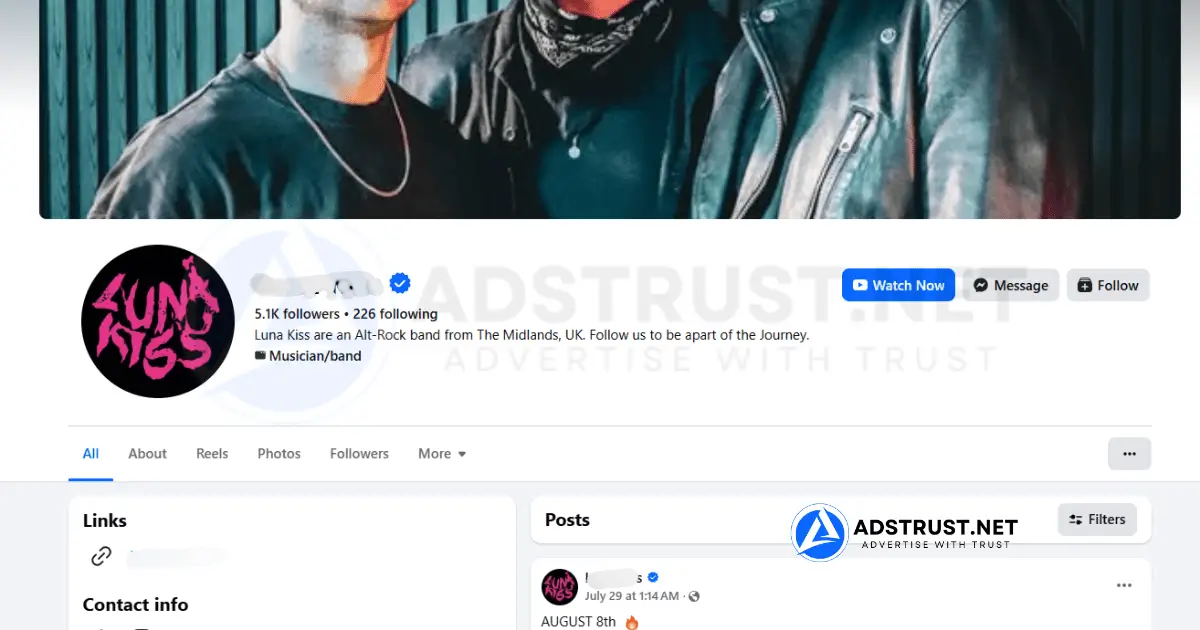
Verified fanpages perform best inside a Business Manager structure that already has enough ad account capacity and spending headroom to match the scale the page is meant to support.
A page verified for enterprise-scale campaigns loses much of its advantage if it sits inside a small BM with a single limited ad account, because the account-side bottleneck becomes the constraint instead of the page.
For agencies running several verified pages across client portfolios, a higher tier like BM2500 or BM50 gives the ad account and spending-limit headroom the page needs to actually deliver at scale.
AdsTrust’s guide on BM50 vs BM2500 for enterprise infrastructure covers when to make that jump.
Proper asset linking between the verified page, the Business Manager, and the ad account also matters, since a misconfigured link can strip some of the trust signal the page is supposed to bring.
Why Verified Pages Are Anchoring Assets, Not Disposable Ones
A verified fanpage is meant to be a long-term anchor for a brand or a client account, not a page you burn through and replace every few weeks like a testing asset.
Meta’s review process for granting the badge is deliberately limiting, so availability is naturally constrained, and that scarcity is part of why the badge carries weight in the first place.
Treating a verified page as disposable, running it hard on unrelated offers, or handing it between unrelated brands tends to undercut the very stability the badge is supposed to represent.
Risk Mitigation in Grey and Regulated Verticals
Verified fanpages tend to hold up better under the extra scrutiny that grey-niche and regulated verticals like nutra, finance, and health routinely attract from Meta’s review systems.
That said, AdsTrust does not claim any asset is unbannable or immune to policy enforcement, since Meta’s ad standards apply equally regardless of the page’s verification status.
What changes with verification is the starting point: a page with an identity check on file gives reviewers less reason to flag the account by default, which is meaningfully different from guaranteeing approval.
Impersonation protection is a secondary benefit here too, since a verified page is less likely to be cloned or spoofed by competitors trying to disrupt a campaign in a competitive vertical.
Compliance requirements do not disappear because a page is verified; a health or finance advertiser still needs compliant landing pages, disclosures, and creative regardless of the badge.
Badge Retention: Name Changes, Transfers, and Recovery
A verified page’s badge can be at risk if the page undergoes major changes after a transfer, particularly abrupt name changes, category switches, or a sudden shift in content focus that no longer matches what Meta originally reviewed.
In our team’s experience, gradual adjustments are safer than immediate overhauls, and keeping the page’s niche reasonably consistent with its verified history reduces the odds of a re-review flagging it.
If a badge is removed, Meta does not guarantee reinstatement, and AdsTrust does not promise recovery of a lost badge, since that decision sits entirely with Meta’s own review systems.
Buyers should treat the badge as an asset to preserve carefully rather than something to test the limits of immediately after taking ownership.
For general account-side stability once you’re running ads behind the page, AdsTrust’s guide on how fanpages affect ad account stability is worth reading alongside this one.
Verified vs Aged vs New: A Decision Framework
Choose based on three factors: the vertical’s review sensitivity, the campaign’s expected spend scale, and how much downtime you can tolerate if the page is flagged.
- High-risk vertical + high spend: verified fanpage inside a high-tier BM is the safer starting point.
- Low-risk vertical + testing phase: a new or aged fanpage is sufficient and more cost-efficient.
- Scaling a proven offer with moderate risk: an aged fanpage, potentially upgrading to verified once volume justifies it.
- Agency managing multiple client brands: verified pages paired with BM Verified infrastructure for consistency across accounts.
Buying a random verified page off a marketplace with no delivery standard is how agencies end up chasing badge issues mid-campaign. AdsTrust delivers verified, tested Meta assets with clear warranty terms attached, so you can check the page’s status before it ever touches live spend.
Frequently Asked Questions
How much does it cost to buy a Meta Verified blue-tick fanpage?
Pricing varies by page age, follower base, and niche history, and changes over time, so the current figure is listed on the verified fanpage product page rather than quoted here.
What is the difference between Meta Verified subscription and a verified fanpage?
Meta Verified subscription is a paid monthly plan (roughly $11.99-$14.99) for individual or creator profiles offering support perks and monitoring, while a verified fanpage badge comes from Meta’s identity-based business review process and applies to the page itself.
Do verified Facebook fanpages get lower CPM and CPL?
There is no fixed guaranteed reduction, but verified pages tend to face fewer disapprovals and steadier delivery, which often compounds into lower effective CPL across a campaign’s lifetime.
Can you change the name of a verified fanpage after you buy it?
Name changes are possible but risky, since abrupt changes right after a transfer can trigger a re-review that may put the badge at risk; gradual, minor adjustments are generally safer.
What happens if a verified fanpage loses its blue tick?
Meta can remove the badge if the page violates its policies or undergoes significant unexplained changes, and neither Meta nor AdsTrust guarantees reinstatement once it’s removed.
Are verified fanpages worth it for affiliate marketing and grey-niche ads?
They can be, since verified pages tend to withstand the heavier review scrutiny grey-niche verticals attract, but no asset is unbannable and compliant creative and landing pages still matter.
How long does a verified fanpage take to transfer and set up?
Under AdsTrust’s stated delivery terms, standard delivery runs from instant up to 24 hours, with some assets needing extra verification taking up to 48 hours.
Do verified fanpages require a specific Business Manager tier?
There’s no hard Meta requirement, but pairing a verified page with a higher-capacity BM like BM50 or BM2500 avoids the ad account itself becoming the bottleneck once you scale spend.
Can you run ads on a verified fanpage immediately after purchase?
Once delivery is confirmed and the page passes inspection under AdsTrust’s warranty window, it can generally be linked to an ad account and used right away, though a brief warm-up is a sensible practice.
What is the monthly maintenance cost for a Meta Verified badge on a fanpage?
An organic business-page verification badge, unlike the individual Meta Verified subscription, does not carry Meta’s separate monthly subscription fee; any maintenance cost referenced by a seller should be confirmed directly on the product listing.
Written by Victor Kwang, Meta advertising specialist and blog lead at AdsTrust Global Pte. Ltd., drawing on the team’s hands-on Meta advertising experience since 2017. See more from Victor on the AdsTrust author page.