

BM1 is a Facebook Business Manager containing exactly one ad account, with a daily spending limit of either $50 or $250.
It exists for one job: testing Facebook ads in a controlled environment before you commit larger assets.
Most advertisers do not fail because Facebook ads stop working. They fail because they start on the wrong structure and lose the account they were learning on.
BM1 keeps that risk small. One account, one clear signal, a ceiling you cannot accidentally blow through.
What Is BM1 Facebook Business Manager?

BM1 is a Facebook Business Manager that contains exactly one advertising account. There are no extra accounts hidden inside it, and no scaling structure attached.
You receive a single ad account with a defined spending limit, built for early-stage testing and account warm-up.
That is the whole product. Its value is in what it does not have: nothing to manage, nothing to warm in parallel, nothing else to lose if the test goes badly.
How Many Ad Accounts Does BM1 Have?

One, and that is deliberate.
With a single ad account, Meta receives one consistent stream of activity. There is no conflict between campaigns, no learning split across accounts, and no artificial pressure to look bigger than you are.

Where to check it yourself: Business Settings, Business info. The Ad account creation limit field is on that panel.
If you need more than one account from the start, you are past what BM1 is for. BM3 splits tests across three accounts, and BM5 adds a much higher ceiling on top.
BM1 Spending Limits and Daily Budget Control
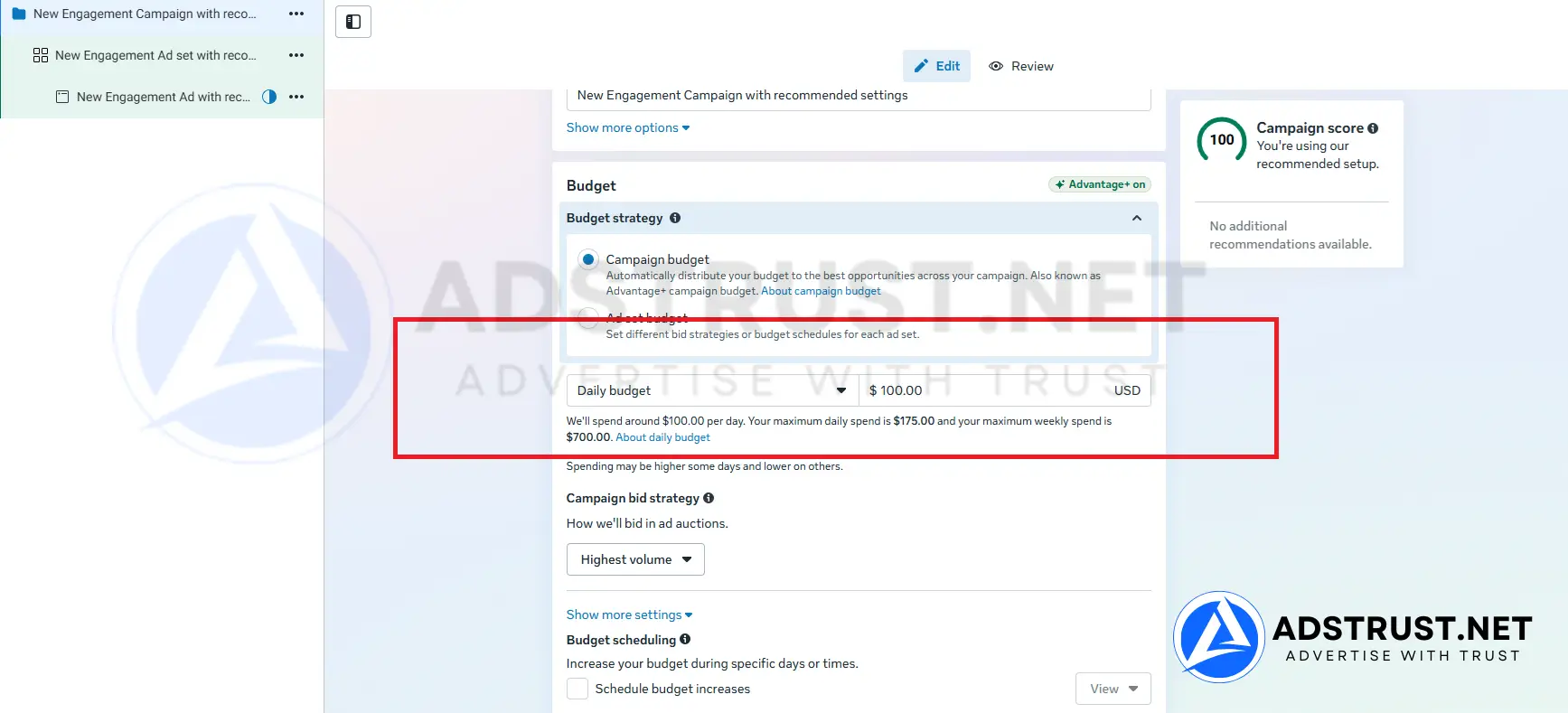
BM1 comes with one of two fixed daily spending limits: $50 or $250.
The limit caps what the account can spend in a day. That cap is doing something useful early on, because it keeps behavior predictable while the account has no history to fall back on.
This is the part worth understanding before you buy. The $250 option is not simply a bigger number.
One BM1 account at $250 per day carries more daily spend than three BM3 accounts capped at $50 each. If your constraint is budget per day rather than how many places you can put it, the ceiling is what you are actually buying.
Our Facebook ad account warm-up schedule sets out what a careful first few weeks look like on a single account.
What BM1 Is Best Used For
BM1 is built for testing, learning and validation. It suits advertisers who are:
- launching a new product and want to see whether it converts,
- validating a funnel before spending real money on traffic,
- testing unfamiliar creatives or angles,
- learning how Meta’s review and delivery actually behave.
In all of those, BM1 lets you make mistakes cheaply. That is worth more at this stage than capacity you cannot use yet.
How BM1 Compares to BM3 and BM5
BM1 gives you a single ad account, but with a far higher ceiling than the entry tiers. That ceiling is what you are paying for.
| Tier | Daily spending limit | Ad accounts | Best for |
|---|---|---|---|
| BM3 | from $50 | 3 | Splitting small tests across three accounts |
| BM1 (this page) | $50 or $250 | 1 | One account with a much higher daily ceiling |
| BM5 | $250 or No Limit | 5 | Scaling once $250+ per day is the real need |
Two separate things scale here.
The number of ad accounts controls how much you can isolate, keeping a failing campaign away from a working one.
The daily spending limit controls how fast you can scale at all, and it is the real ceiling. Account count and ceiling are different problems, and BM1 solves the second one.
When BM1 Is the Wrong Choice
BM1 is not suitable if you:
- need several ad accounts running at the same time,
- want to keep clients, markets or offers in separate accounts,
- already have a proven offer and are waiting on budget rather than on structure,
- expect to spend well past $250 a day within the next month.
In those cases one account becomes the bottleneck, and pushing it harder than its history supports is one of the more common ways advertisers end up reading our guide to recovering a disabled Business Manager.
If you want the cheapest possible way to start rather than the higher ceiling, BM New and BM350 both sit below BM1 on price and on limit.
For a full map of which tier fits which stage, see our complete guide to Business Manager types, limits and safe usage.
What You Receive, Delivery, and Warranty
AdsTrust delivers BM1 as a digital advertising asset, configured exactly as described below.
| What you get | Details |
|---|---|
| Ad accounts | 1, inside its own business portfolio |
| Daily spending limit | $50 or $250, fixed at delivery |
| Delivery time | Instant to 24 hours. Up to 48 hours if extra verification is required |
| Delivered via | Telegram or email, to the contact details you provide |
| Warranty | At the time of delivery: the Business Manager must be active, accessible and in working condition |
| Refunds | Replacement within the warranty period. No refunds after delivery |
| Payment | USDT (TRC20 or ERC20), BTC or ETH. Full payment before delivery, no chargebacks |
| Support | Online 24/7, fastest via Telegram @adstrustnet |
Two things are worth being blunt about.
First, log in and inspect the Business Manager as soon as it arrives. The warranty covers the condition it is delivered in, so the check on arrival is the moment that matters.
Second, nobody can promise an account will never be restricted. A clean, correctly configured Business Manager gives you a better starting position, not immunity.
Full terms are on our warranty policy page.
Frequently Asked Questions
Can I create more ad accounts inside BM1?
BM1 is sold as a single-account portfolio, and that is what it is built around.
If you know you will need more than one account, buying the right tier now costs less than migrating campaigns later.
What is the difference between the $50 and $250 versions?
Only the daily ceiling. The $250 configuration lets the account spend up to $250 per day, the $50 one caps it lower.
The higher ceiling matters when your test needs volume to reach significance. It does nothing for you if you are spending $20 a day.
Should I buy BM1 or BM3?
Ask what is limiting you. If it is daily budget, BM1 at $250 goes further than three BM3 accounts at $50 each.
If it is wanting to run several small tests side by side without them interfering, BM3 is the better shape.
Should I buy BM1 or BM350?
BM350 sits below BM1 on both price and ceiling, and is often kept afterwards as a Pixel and Page holder.
Choose BM1 when you specifically need the higher daily limit. Choose BM350 when you want the cheapest clean place to learn.
How long before the spending limit increases?
There is no fixed timeline. Increases follow spend volume, on-time invoice payments and stable account behavior, and they vary account by account.
Treat the starting limit as the number you plan around, not a temporary inconvenience.
Do I need a Fanpage and Pixel as well?
You need a Page to run most ad formats, and a Pixel to measure conversions.
Many advertisers keep both in a separate low-limit Business Manager, so the assets survive if a spending account is restricted.
What happens if the account gets restricted?
With one account, a restriction stops everything you are running. That is the trade-off of a single-account setup.
It is also why advertisers who have found something that works usually move to a multi-account tier rather than pushing BM1 harder.
BM1 fits one situation well: you want to test properly, at a real daily budget, without putting anything larger at risk.
If you are past testing and the thing holding you back is structure, BM5 is the next honest step.
The price and order button are at the top of this page. If you are unsure which tier fits, message the team on Telegram before ordering.
Written by Victor Kwang, Meta advertising specialist and blog lead at AdsTrust Global Pte. Ltd. (Singapore). The AdsTrust team has worked in Meta advertising since 2017. Spending limits, review timings and account behavior described on this page reflect what we see in practice. Meta can change them at any time.





Reviews
There are no reviews yet.