

BM New is a freshly created Meta Business Portfolio with one ad account and a $25 to $50 daily spending limit.
It is the cheapest way into Meta advertising through a proper Business Manager structure, built for beginners, testers and anyone who needs a clean account with no prior history.
The limit is not something AdsTrust applies. It is Meta’s standard starting position for newly created ad accounts, and it rises as the account builds payment history.
What Is BM New Facebook Business Manager?
BM New is a brand-new Facebook Business Manager, also called a Meta Business Portfolio, created and delivered to you rather than transferred from someone else.
Unlike an aged portfolio, it arrives with no history at all. That is the point of it.
Nothing has been spent on it, nothing has been reviewed, and no previous owner’s behavior is attached to it. What happens next is entirely down to how you use it.
The trade-off is that it starts at Meta’s default limit for new accounts, roughly $25 to $50 per day.
Why the Spending Limit Starts So Low
This is the question that generates the most support messages, so it is worth answering directly.
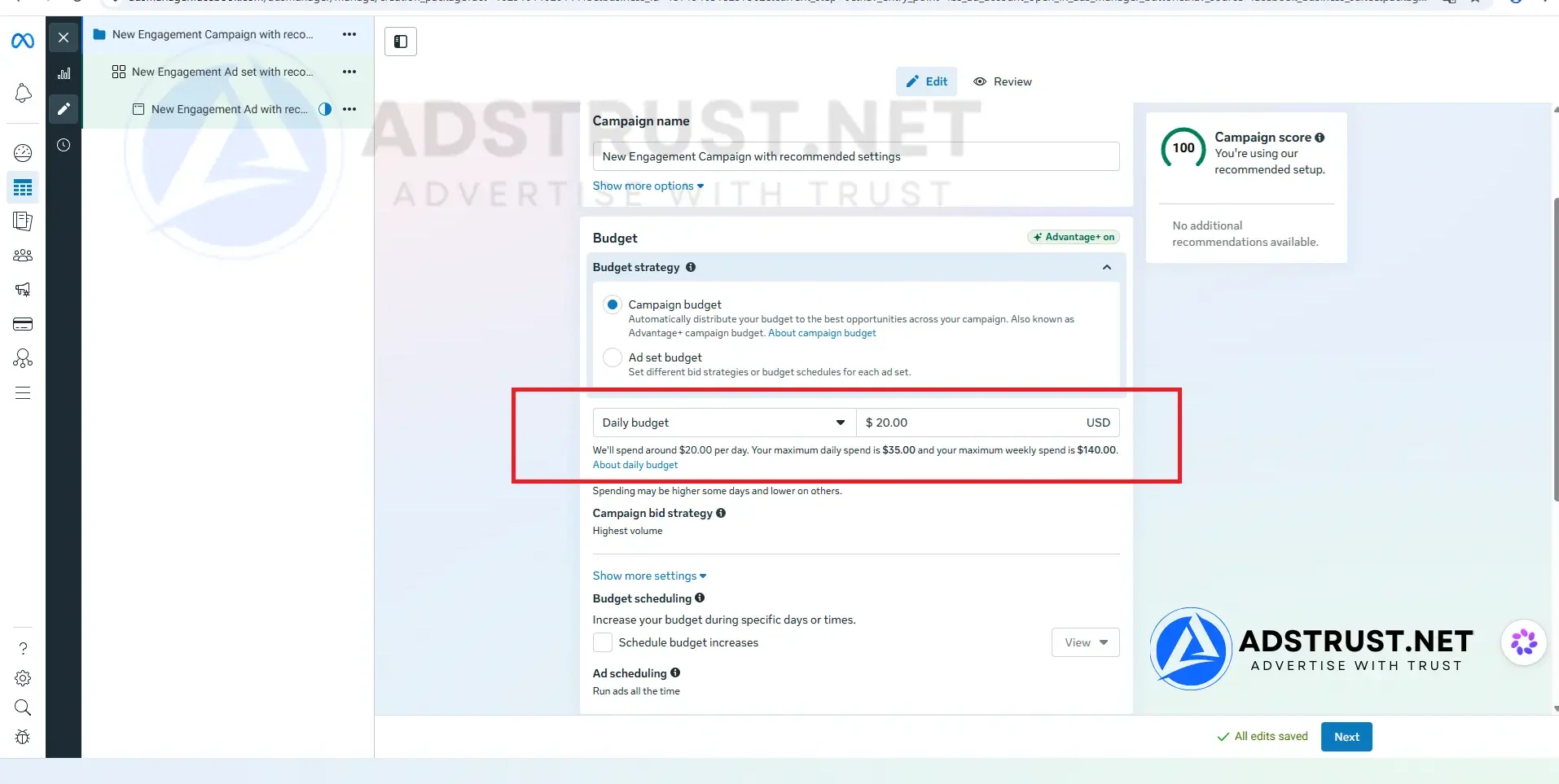
The $25 to $50 daily limit is applied by Meta to newly registered ad accounts across the platform. It is standard onboarding behavior, not a restriction from AdsTrust and not a fault with the account.
As the account builds spend and pays invoices on time, Meta raises the limit. In our team’s experience the increases come in steps rather than all at once, and the pace varies from account to account.
There is no way to request an increase directly and no fixed timeline. Anyone promising you a specific number by a specific date is guessing.
Our Facebook ad account warm-up schedule sets out what a careful first few weeks look like, and how to increase a Facebook spending limit covers what actually moves it.
Who Should Buy BM New
BM New fits advertisers who are:
- running their first Facebook or Instagram campaign,
- testing a new creative, audience or offer before committing budget,
- starting a clean Business Manager with no prior history attached,
- building account trust before moving to a higher-limit tier,
- working with the Meta Marketing API and want a fresh portfolio to integrate against.
It is the wrong purchase if you already have a proven offer and need to spend today. At $25 to $50 per day you will spend weeks getting to a budget a higher tier starts at.
In that case BM1 at $250 or BM5 is the honest recommendation, even though both cost more.
How BM New Compares to BM350 and BM1
All three are entry tiers. What separates them is the daily ceiling and what you keep the portfolio for afterwards.
| Tier | Daily spending limit | Ad accounts | Best for |
|---|---|---|---|
| BM New (this page) | $25 to $50 | 1 | First-time testing at the lowest entry cost |
| BM350 | $25 to $50 | 1 (up to 3) | Testing, plus holding a Pixel and Page long term |
| BM1 | $50 or $250 | 1 | One account with a much higher daily ceiling |
Two separate things scale across this range.
The number of ad accounts controls how much you can isolate, keeping a failing campaign away from a working one.
The daily spending limit controls how fast you can scale at all, and it is the real ceiling. BM New and BM350 start at the same ceiling, so the choice between them is about what you do with the portfolio later, not about spend.
Prices change, so check the current figure on each product page rather than relying on a number written into an article.
How BM New Works, Step by Step
The sequence after purchase is short:
- Delivery. Login details arrive by Telegram or email, usually within minutes.
- Inspect. Log in and confirm the portfolio is active and the ad account is present. This is the moment the warranty covers.
- Attach a payment method. Do this before creating campaigns, not after.
- Start small. Spend inside the ceiling rather than pushing the maximum on day one. A fresh account going straight to its cap is a pattern Meta reads as risk.
- Build history. Consistent spend and on-time payments are what move the limit.
You will also need a Page to run most ad formats, and a Pixel if you want to measure conversions.
When Not to Use BM New
Do not buy BM New expecting to scale quickly. The ceiling is the ceiling, and no amount of configuration changes it on day one.
Do not buy it if you need several accounts to keep clients or offers apart. That is what BM3 and above are for.
And do not treat a low limit as a defect worth appealing. Pushing a new portfolio harder than its history supports is one of the more common ways advertisers end up reading our guide to recovering a disabled Business Manager.
For a full map of which tier fits which stage, see our complete guide to Business Manager types, limits and safe usage.
What You Receive, Delivery, and Warranty
AdsTrust delivers BM New as a digital advertising asset, configured exactly as described below.
| What you get | Details |
|---|---|
| Account type | Facebook Business Manager, also called a Meta Business Portfolio |
| Creation status | Brand new, created by AdsTrust rather than transferred |
| Ad accounts | 1, active and ready to run |
| Daily spending limit | $25 to $50, Meta’s default for newly created accounts |
| Delivery time | Instant to 24 hours. Up to 48 hours if extra verification is required |
| Delivered via | Telegram or email, to the contact details you provide |
| Warranty | At the time of delivery: the Business Manager must be active, accessible and in working condition |
| Refunds | Replacement within the warranty period. No refunds after delivery |
| Payment | USDT (TRC20 or ERC20), BTC or ETH. Full payment before delivery, no chargebacks |
| Support | Online 24/7, fastest via Telegram @adstrustnet |
Two things are worth being blunt about.
First, log in and inspect the portfolio as soon as it arrives. The warranty covers the condition it is delivered in, so the check on arrival is the moment that matters.
Second, nobody can promise an account will never be restricted. A clean portfolio with no prior history gives you a fair start, not immunity.
Full terms are on our warranty policy page.
Frequently Asked Questions
What does BM New actually mean?
It means the Business Manager was created new rather than aged or resold. No spend history, no previous owner’s behavior, no prior reviews attached to it.
That is why it starts at Meta’s default limit for new accounts.
Why is the spending limit only $25 to $50?
Meta applies that limit to newly registered ad accounts across the platform. It is not set by AdsTrust and it is not a fault with the account.
It rises as the account builds spend volume and on-time payment history.
Can I increase the limit faster?
There is no request button and no fixed timeline. What moves it is consistent spend, invoices paid on time and stable account behavior.
Spending to the cap on day one tends to work against you rather than for you.
How is BM New different from BM350?
Both start at the same daily ceiling with one ad account. BM350 can expand to three accounts over time and is often kept afterwards as a Pixel and Page holder.
Choose BM New for the lowest entry cost. Choose BM350 if you expect to keep the portfolio as an asset holder later.
Is this a real Business Manager?
Yes. It is a standard Meta Business Portfolio with one ad account, not a shared or rented structure.
It is not verified. Business verification is a separate process you can complete yourself, or start from a BM Verified portfolio instead.
How long does delivery take?
Usually within minutes, and up to 24 hours. Some orders needing extra verification can take up to 48 hours.
Details are sent to the Telegram account or email address you provide.
Do I need anything else to start running ads?
A Facebook Page for most ad formats, a payment method attached to the ad account, and a Pixel if you want to track conversions.
Many advertisers keep the Page and Pixel in a separate portfolio so those assets survive if a spending account is restricted.
BM New fits one situation well: you want to learn Meta advertising properly, on a clean account, for the least money possible.
If you already know what works and are waiting on budget rather than on knowledge, a higher tier will get you there faster.
The price and order button are at the top of this page. If you are unsure whether BM New or BM350 fits, message the team on Telegram before ordering.
Written by Victor Kwang, Meta advertising specialist and blog lead at AdsTrust Global Pte. Ltd. (Singapore). The AdsTrust team has worked in Meta advertising since 2017. Spending limits, review timings and account behavior described on this page reflect what we see in practice. Meta can change them at any time.





Reviews
There are no reviews yet.