

BM3 is a Facebook Business Manager containing three ad accounts, each running from a $50 daily spending limit.
It is the cheapest way to stop putting every test in one place.
Most advertisers do not fail because they scale too slowly. They fail because they scale too early, before they understand how their campaigns behave under real conditions.
At this stage the goal is not volume. It is control: seeing how creatives perform, how audiences respond, and whether the account environment holds up.
What Is BM3 Facebook Business Manager?

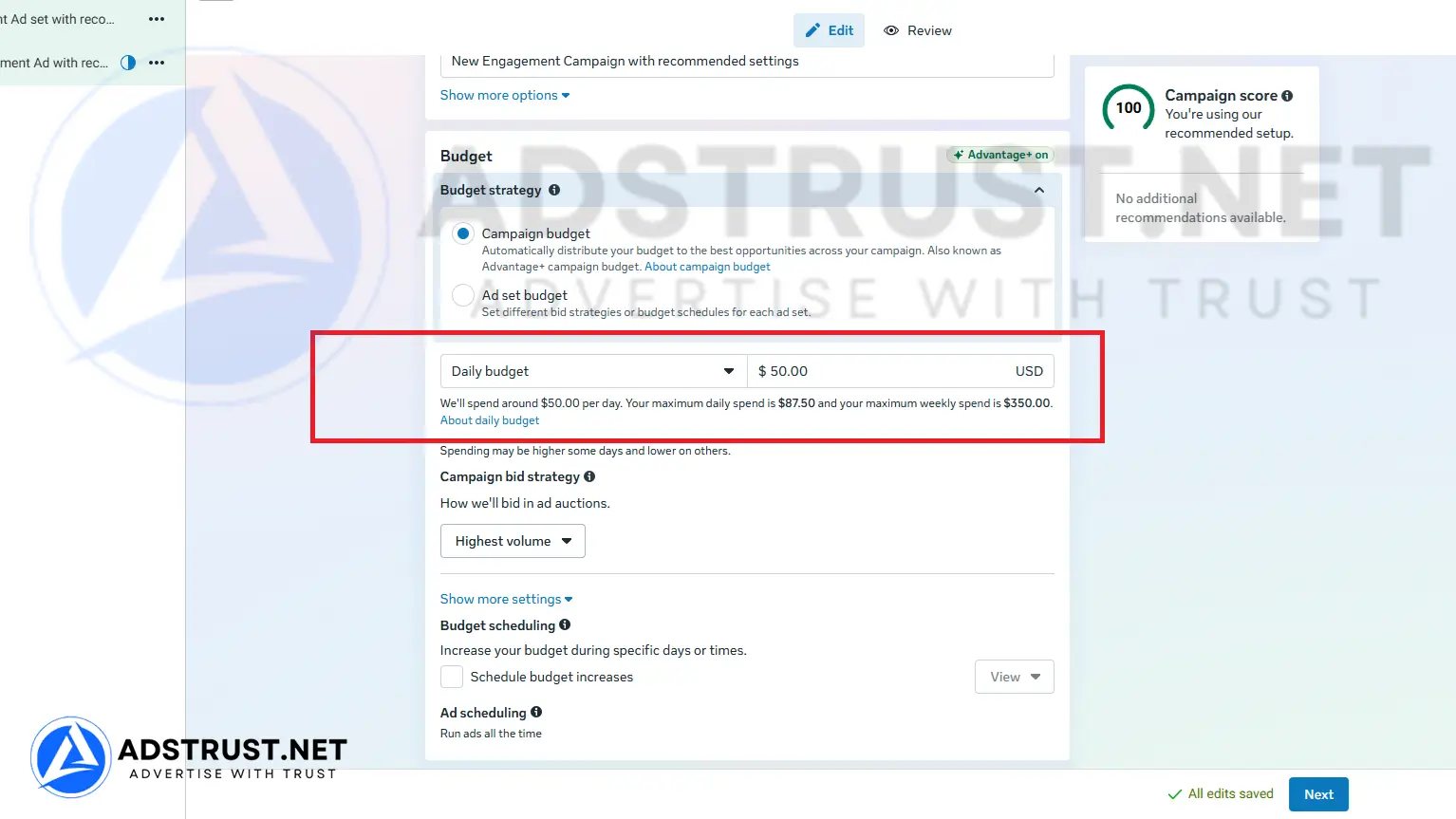
BM3 is one Business Manager with three separate ad accounts inside it. Each account operates from a controlled spending threshold, typically starting at $50 per day.
That low ceiling is not an accident or a defect. It keeps activity stable while the accounts have no history behind them, which is exactly the phase BM3 is built for.
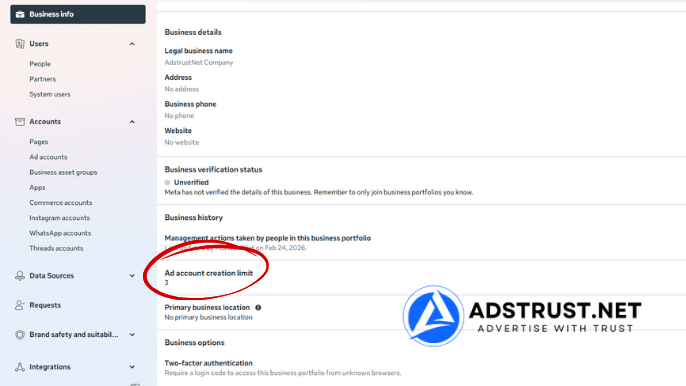
Where to check it yourself: Business Settings, Business info, Ad account creation limit.
The difference from a single-account setup is not how much you can spend. It is that a bad test no longer sits in the same account as a working one.
Why Advertisers Buy BM3

The reason is control, not scale.
When you are running a new niche or untested creatives, pushing budget too fast usually creates instability. Accounts get flagged, campaigns stop delivering, or results swing without explanation.
Three accounts let you spread that activity instead of concentrating it. In practice most buyers use a simple split:
- One account for creative testing. New angles, new hooks, small budgets, expected to take the hits.
- One for audience validation. Testing who responds, once you know which creative works.
- One held back. Kept clean and lightly warmed, so there is somewhere to move what already works.
The third account is the one people skip and later wish they had kept. An account with a few weeks of quiet history is far more useful on the day you need it than one created in a hurry while campaigns are down.
How BM3 Compares to BM350 and BM1
BM3 gives you three ad accounts, but each one stays near the entry-level ceiling. Choose it when you want to split small tests across separate accounts rather than push a larger daily budget through one.
| Tier | Daily spending limit | Ad accounts | Best for |
|---|---|---|---|
| BM350 | $25 to $50 | 1 (up to 3) | Testing, plus holding a Pixel and Page long term |
| BM3 (this page) | from $50 | 3 | Splitting small tests across three accounts |
| BM1 | $50 or $250 | 1 | One account with a much higher daily ceiling |
Two separate things scale here.
The number of ad accounts controls how much you can isolate, keeping a failing campaign away from a working one.
The daily spending limit controls how fast you can scale at all, and it is the real ceiling. One BM1 account at $250 per day carries more daily spend than three BM3 accounts capped at $50 each, which is why BM1 costs more despite having fewer accounts.
Who Should Buy BM3, and Who Should Not
BM3 suits advertisers who are:
- testing a new niche where account behavior is still unknown,
- running several creatives or angles at the same time,
- rotating campaigns between accounts rather than pushing one hard,
- keeping a spare account warmed before they need it.
It is the wrong choice in two situations.
If your daily budget already exceeds what a $50 account can absorb, three of them will not fix that. You need a higher ceiling, which means BM1 at $250 or BM5.
If you have not run Meta ads before at all, three accounts is three things to warm and monitor. A single BM350 teaches the same lessons with less to manage.
Pushing accounts harder than their history supports is one of the more common ways advertisers end up reading our guide to recovering a disabled Business Manager. Our warm-up schedule covers what a careful first few weeks look like on each account.
For a full map of which tier fits which stage, see our complete guide to Business Manager types, limits and safe usage.
What You Receive, Delivery, and Warranty
AdsTrust delivers BM3 as a digital advertising asset, configured exactly as described below.
| What you get | Details |
|---|---|
| Ad accounts | 3, inside one business portfolio |
| Daily spending limit | From $50 per ad account |
| Delivery time | Instant to 24 hours. Up to 48 hours if extra verification is required |
| Delivered via | Telegram or email, to the contact details you provide |
| Warranty | At the time of delivery: the Business Manager must be active, accessible and in working condition |
| Refunds | Replacement within the warranty period. No refunds after delivery |
| Payment | USDT (TRC20 or ERC20), BTC or ETH. Full payment before delivery, no chargebacks |
| Support | Online 24/7, fastest via Telegram @adstrustnet |
Two things are worth being blunt about.
First, log in and inspect the Business Manager as soon as it arrives. The warranty covers the condition it is delivered in, so the check on arrival is the moment that matters.
Second, nobody can promise an account will never be restricted. Three accounts reduce what a single restriction costs you. They do not prevent restrictions.
Full terms are on our warranty policy page.
Frequently Asked Questions
Does BM3 come with three ad accounts already created?
Yes. BM3 is delivered as one Business Manager with three ad accounts inside it.
You can confirm the ad account creation limit under Business Settings, Business info, before you spend anything.
Can I run all three accounts from day one?
You can, but starting all three at full budget at once is the pattern most likely to draw attention.
Bring them online in sequence. One carrying steady spend while the others start small produces a more stable picture.
Should I buy BM3 or BM1?
It depends on which constraint is real for you.
If it is daily budget, BM1 at $250 carries more spend than three BM3 accounts at $50 each. If it is wanting separate places for separate tests, BM3 is the right shape.
Can the $50 limit be increased?
Meta raises limits based on spend volume, on-time payments and stable behavior, and it varies account by account.
There is no fixed timeline and no way to request it directly, so plan around the starting limit rather than an expected increase.
If one account is restricted, do I lose the others?
Normally no. A restriction usually applies to the specific ad account rather than the whole portfolio.
Repeated violations across accounts can still put the portfolio at risk, so isolation reduces exposure without removing it.
Do I need a Fanpage and Pixel as well?
You need a Page to run most ad formats, and a Pixel to measure conversions.
Many advertisers keep both in a separate low-limit Business Manager, so the assets survive if a spending account is restricted.
What comes after BM3?
Usually BM5, which is where the No Limit option first appears in the range.
Move up when the ceiling starts blocking you rather than when the account count does.
BM3 fits one situation well: you are still testing, and you want your failures kept away from whatever is working.
If your problem is daily budget rather than separation, a higher ceiling will serve you better than more accounts.
The price and order button are at the top of this page. If you are unsure whether BM3 or BM1 fits, message the team on Telegram before ordering.
Written by Victor Kwang, Meta advertising specialist and blog lead at AdsTrust Global Pte. Ltd. (Singapore). The AdsTrust team has worked in Meta advertising since 2017. Spending limits, review timings and account behavior described on this page reflect what we see in practice. Meta can change them at any time.









Reviews
There are no reviews yet.