
TL;DR: To recover disabled Facebook ad account, check the Account Quality panel for the reason, submit a Request a Review through Meta Business Help Center with matching ID and business verification, and wait for a decision. Speed matters: accounts can become permanently unrecoverable after roughly 180 days.
Agencies avoid downtime by running a backup verified Business Manager alongside the primary one.
What Does It Mean When a Facebook Ad Account Is Disabled?
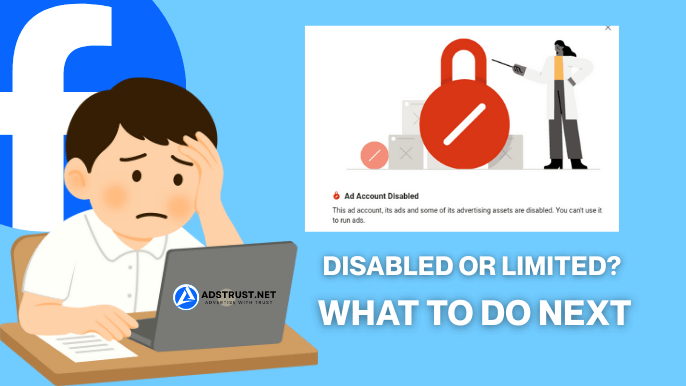
A disabled Facebook ad account is one that Meta has stopped from spending or delivering ads, usually because of a suspected policy violation, a payment problem, or unusual account activity. It is different from a temporary limit and different from a permanent ban.
The label you see in Ads Manager or the Account Quality panel tells you which category you are in, and that label changes what recovery actually looks like.
Disabled does not always mean gone for good. Many disables are reversible if you appeal correctly and quickly.
But the account’s status, and how it interacts with the Business Manager (BM) that owns it, determines your real odds.
If you want the fuller breakdown of why accounts get restricted in the first place, why Facebook ad accounts get restricted covers the underlying causes in more depth.
Disabled vs Restricted vs Permanently Banned: What’s the Difference?
A restricted account can usually still be used with reduced features while under review.
A disabled account cannot spend at all but may still be appealable.
A permanently disabled or banned account has typically exhausted the appeal window and, in most cases, cannot be reinstated.
Knowing which one you’re dealing with changes your next move.
| Status | What it means | Recovery odds |
| Restricted | Limited features, spend may still run, under review | High, often resolves without formal appeal |
| Disabled | No spend, account or BM flagged for a specific reason | Moderate, appeal required, outcome varies |
| Permanently disabled / banned | Appeal window closed or repeated violations confirmed | Low, generally not reversible |
This is also why agencies build redundancy at the Business Manager level rather than treating one ad account as their only asset.
Why Do Facebook Ad Accounts Get Disabled?
Most disables trace back to a handful of recurring triggers.
Understanding which one applies to you helps you write a more precise, credible appeal instead of a generic one.
- Policy violations in ad creative, landing pages, or targeting that trip Meta’s Advertising Policies filters
- Payment or billing issues, including a declined charge, mismatched cardholder details, or a payment method flagged as high risk
- Suspicious login activity, such as logging in from a new device, new location, or shared network without two-factor authentication (2FA) enabled
- Excessive negative feedback from users reporting ads or hiding them repeatedly
- Repeated ad rejections in a short window, which Meta’s systems can read as a pattern rather than isolated mistakes
- Business details that don’t match across the ad account, the Business Manager, and the Fanpage running the ads
For a deeper look at how payment behavior specifically factors into these decisions, see how Facebook reviews payment behavior in ad accounts.
How to Appeal a Disabled Facebook Ad Account, Step by Step
The appeal process generally follows the same sequence whether you’re a solo advertiser or an agency managing dozens of client accounts.
Speed and accuracy in your first submission matter more than volume of follow-ups.
- Open Ads Manager and read the notification tied to the disable. It usually names a policy area or reason category, even if vague.
- Go to the Account Quality panel inside Business Manager settings to confirm the exact status: restricted, disabled, or something more severe.
- Use the Meta Business Help Center’s Request a Review (sometimes labeled Recover) flow tied to that specific account or Business Manager.
- Submit any requested identity verification or business verification documents, making sure names and registration details match exactly across every touchpoint.
- Wait for a decision. Do not submit duplicate appeals for the same account in a short window, as this can slow the queue rather than speed it up.
- If denied, review the denial reason carefully. In some cases a second, more targeted appeal referencing specific policy language is worth trying once.
If you manage this often, it helps to standardize the process across your team so nobody skips a verification step.
Our post on how Facebook Business Manager controls ad accounts explains how BM-level settings affect what an appeal can and cannot fix.
What to Prepare Before You Appeal
Appeals succeed more often when the underlying documentation is already clean rather than assembled in a panic after the disable hits.
Prepare these in advance if you run paid campaigns regularly.
- Government ID matching the name on the ad account and Business Manager
- Completed business verification with a registered business name, address, and website that all match
- Proof of the payment method in use, including billing name and address consistency
- A Fanpage with a stable history, since a brand-new or thin Fanpage can weaken an otherwise reasonable appeal
- A record of recent ad creative and landing pages, in case Meta asks for context on the flagged content
See how Fanpages affect ad account stability if you’re not sure whether your page history is helping or hurting your appeal.
How Long Does Recovery Take, and What Happens If the Appeal Is Denied?
Review timelines vary and Meta does not publish a fixed number of days, so treat any specific promise you see elsewhere with caution.
In practice, straightforward cases are often resolved faster than ones involving business verification or payment disputes.
If the appeal is denied, you typically get a short explanation, and in some cases a limited window to submit additional information before the case is closed permanently.
This is exactly why agencies rarely bet a client’s entire spend on a single pending appeal.
Keeping a second, already-verified ad account or Business Manager active means campaigns don’t sit idle for the full duration of a review that could take anywhere from a short wait to considerably longer.
The 180-Day Cutoff: Why Speed Matters
Facebook maintains a window, often cited around 180 days, after which a disabled account or its associated data may no longer be recoverable at all.
This is not a guarantee you have exactly that long. It’s a reminder that the longer an account sits disabled without action, the lower your odds of getting it back become.
Appeal promptly, document everything the first time, and don’t let a disabled account sit untouched for weeks while you focus on other fires.
Don’t Create a New Account to Bypass a Ban
It is tempting to just spin up a new ad account or Business Manager the moment one gets disabled.
This is one of the fastest ways to make things worse.
Meta’s systems actively look for duplicate signals, shared devices, matching payment methods, and overlapping business details, and linking a fresh account to a previously banned one can get the new one disabled almost immediately, sometimes before it ever spends a dollar.
If you need continuity, the safer path is a properly separated, independently verified asset, not a clone of the one that just got flagged.
The Agency Playbook: Keep Campaigns Live While You Appeal
Solo advertisers can usually afford to wait out an appeal. Agencies managing multiple clients generally cannot, because one disabled account should never mean every client’s campaigns stop simultaneously.
The practical fix is structural, not procedural.
Isolate risk per client by running separate Business Managers rather than pooling everyone under one umbrella BM.
If one client’s account trips a policy flag, it shouldn’t put five other clients at risk of the same review queue.
Pair this with a backup verified BM held in reserve, so the moment a primary account goes down, media buyers can shift budget to the backup within the same day instead of waiting on a review.
Read how agencies build Business Manager systems for a fuller structure on distributing this risk across accounts.
Regional profile and payment hygiene matters here too.
Mismatched billing names, inconsistent business details across accounts, or reusing the same login patterns across multiple BMs are exactly the signals that trigger the suspicious-activity flags described earlier.
Keep each BM’s identity, payment method, and profile consistent internally, and distinct from the others externally.
For teams that want a ready-made fallback instead of building one from scratch, browse verified Facebook ad accounts that are already tested and delivery-ready, so the backup isn’t something you have to warm up under time pressure.
How to Prevent Future Disables
Recovery is reactive. Prevention is what keeps agencies from repeating this cycle every few months.
A few habits meaningfully reduce disable frequency.
- Enable two-factor authentication (2FA) on every profile tied to a Business Manager
- Monitor the Account Quality panel weekly, not just after something breaks
- Keep ad creative and landing pages aligned with current Advertising Policies before launch, not after rejection
- Set conservative spending limits when warming up new accounts instead of scaling too fast
- Match business name, address, and payment details exactly across the account, BM, and Fanpage
- Separate client BMs so one account’s issue never cascades across your whole portfolio
If limited or restricted accounts are a recurring pattern for your team rather than a one-off, why some ad accounts stay limited for too long walks through the slower-moving version of this same problem.
Appeals take time you may not have. If you need a clean, verified ad account ready today instead of waiting out a review, AdsTrust prepares tested Meta assets built for real campaign use, not shortcuts.
FAQs
Why is my Facebook ad account disabled?
Most disables come from a suspected policy violation, a payment or billing issue, unusual login activity, excessive negative feedback, or a pattern of repeated ad rejections.
Check the notification in Ads Manager and the Account Quality panel for the specific reason given.
How long does it take to recover a disabled Facebook ad account?
There is no fixed published timeline.
Straightforward cases are often resolved faster, while ones involving business verification or payment disputes tend to take longer.
Submitting complete, accurate documentation on your first appeal generally speeds things up.
Can a permanently disabled Facebook ad account be recovered?
In most cases, no. Once an account is confirmed permanently disabled, typically after the appeal window closes or repeated violations are confirmed, it is generally not reversible.
This is why appealing quickly, before that cutoff, matters so much.
How do I appeal a disabled Facebook ad account?
Check the disable reason in Ads Manager, review the Account Quality panel for the exact status.
Then submit a Request a Review through the Meta Business Help Center with matching ID and business verification documents.
Avoid submitting duplicate appeals for the same issue.
What happens if my Facebook ad account is disabled for 180 days?
Around that window, often cited as 180 days, an unresolved disabled account risks becoming permanently unrecoverable.
Treat this as a reason to act quickly rather than a guaranteed exact deadline, since Meta does not commit to a fixed number publicly.
Will creating a new Facebook ad account get me banned?
It can, especially if the new account shares a device, payment method, or business details with the disabled one.
Meta’s duplicate-detection systems often flag and disable linked new accounts quickly.
A properly separated, independently verified asset is safer than trying to clone around a ban.
How do I contact Facebook support for a disabled ad account?
Meta’s primary channel is the Business Help Center’s Request a Review flow tied to the specific account or Business Manager.
There is no guaranteed direct phone line for most advertisers, so the in-platform review request is generally the correct first step.
How can I avoid getting my Facebook ad account disabled again?
Enable two-factor authentication, monitor Account Quality regularly, keep creative compliant with current Advertising Policies, match business details across every account and page, and avoid scaling spend too fast on a newly warmed account.
What is the difference between a disabled and restricted Facebook ad account?
A restricted account usually keeps limited functionality while under review and often resolves without a formal appeal.
A disabled account cannot spend at all and generally requires a Request a Review submission, with outcomes varying by the reason behind the disable.
Written by Victor Kwang, lead writer at AdsTrust Global Pte. Ltd. (Singapore), covering Facebook Business Manager and ad account operations for agencies and media buyers worldwide.